

Accounting Reimagined for You
The Most Powerful Cloud-Based Accounting System for Modern Businesses
Manage your accounts effortlessly with intelligent tools designed to save time and eliminate errors
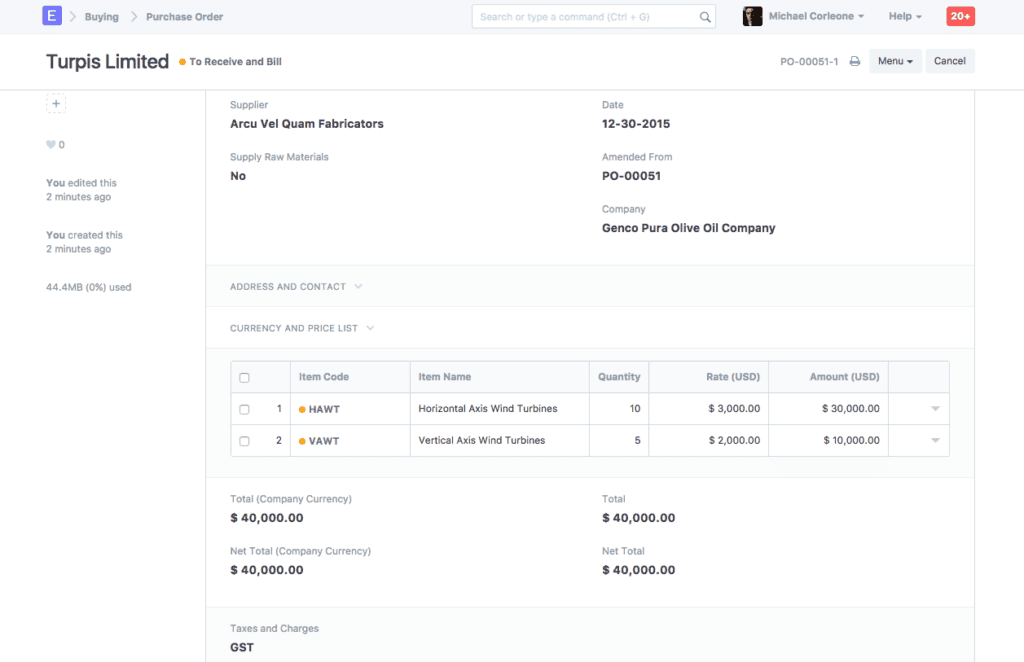
What is ERPNext Accounting Module?
The goal of ERPNext Accounting module is to make managing money easier. It lets companies:
- Keep track of sales and purchases
- Keep track of payments and receipts
- Handle expenses
- Manage accounts receivable and payable
- Create financial statements right away
- Keep a full audit trail
- Make sure taxes are paid
- Manage assets and depreciation
- Do bank reconciliation
- Record transactions in more than one currency
The system connects all financial activities in all departments, so finance teams can see everything about cash flows, assets, liabilities, equity, income, expenses, profits, and losses.Real-time dashboards help businesses keep an eye on their money, stay on budget, and make sure their finances are stable in the long run.
General Ledger
The Core of ERPNext Accounting Module
The General Ledger is the most important part of all accounting work. ERPNext automatically keeps track of entries for:
- Sales
- Purchases
- Payments
- Receipts
- Payroll
- Stock Movements
- Taxes
- Asset Depreciation
Important Parts of ERPNext General Ledger
- Posting debits and credits in Real-time
- Linking accounting entries automatically
- Daybook reports
- Ledger-wise summaries
- A transaction history that is easy to audit
- Financial updates in Real-time
The GL makes sure that all financial data is accurate, organized, and follows the rules.
Chart of Accounts
Customizable way to manage your money
The Chart of Accounts (COA) is the most important part of financial reporting. ERPNext comes with a pre-made COA, but you can change it to fit your needs.
Chart of Accounts Categories
- Assets
- Liabilities
- Equity
- Income
- Expenses
Companies can add new accounts, change the names of groups, change the layouts, and set up financial hierarchies that work for them.
A well-designed COA makes it easy to read, accurate, and quick to report on finances
Accounts Receivable
Smart Customer Payment Tracking
The Accounts Receivable system keeps track of all the money that customers owe.
Features of ERPNext AR
- Managing sales invoices
- Keeping track of outstanding amounts by customer
- Following up on payments
- Sending automatic payment reminders
- Creating ageing reports
- Controlling credit limits
- Accepting advance payments
- Seeing cash flow in real time
This module makes collection cycles better and makes sure that customers pay on time, which helps your cash flow.
Accounts Payable
Managing Payments to Vendors Effectively
The Accounts Payable module helps businesses keep track of unpaid bills and bills from suppliers.
Features of ERPNext AP
- Invoices for purchases
- Outstanding balance for suppliers
- Scheduling payments
- Setting due dates
- Recording expenses
- Debit notes
- Supplier advances
- Automated payment reminders
This ensures timely payments and stronger supplier relationships.
Invoicing
A Smart, Fast, and Customizable Billing System
One of the most flexible and useful Invoicing systems is ERPNext.
Different Kinds of Invoices
- Invoices for sales
- Invoices for purchases
- Invoices that come up again and again
- Invoices based on time
- Invoices based on a project
- POS invoices
You can change the colours, logos, formats, and branding on invoices. Automatically added are taxes, discounts, shipping costs, and terms.
Payment Management
Easily Handle Incoming and Outgoing Payments
ERPNext makes handling payments easier by fully automating the process.
Payment Features
- Payments from customers
- Payments to suppliers
- Partial payments
- Payment entries
- Payment requests
- Accounting entries that are linked automatically
Invoices and payments are always linked, which keeps the financial system clean and accurate.
Bank Reconciliation
Matching That Is Correct and Automatic
Bank reconciliation is time-consuming — but ERPNext automates it completely.
Features of ERPNext Bank Reconciliation
- Upload bank statements
- Automatically match
- Find missing entries
- Reconcile payments
- Find errors or duplicates
- Get updates on the status in real time
This makes sure that your company’s books always match what the bank says.
Multi-Currency Accounting
Great for Businesses Around the World
ERPNext has full support for Multi-Currency Accounting, which makes it the best choice for businesses that do business around the world.
Features for Multiple Currencies
- Invoices in more than one currency
- Automatic updates of exchange rates
- Calculating gains and losses in currency
- Payments in more than one currency
- Ledgers for each currency
ERPNext makes it easy to trade with as many countries as you want.
Automated Tax Management
GST, VAT, Sales Tax, Withholding Tax
ERPNext’s automated tax engine makes it easier to follow the rules about taxes.
Tax Features
- Several tax templates
- Setting up GST/VAT/Sales Tax
- Withholding tax
- Prices that include tax
- Automatic tax calculation
- Tax rules that vary by country
- Detailed tax reports
This keeps your business in line with the law, ready for an audit, and free of mistakes
Expense Management
Keep Track of All Your Costs with Ease
ERPNext helps businesses keep track of all their costs.
Types of Expenses
- Costs of running a business
- Office bills
- Utility bills
- Employee reimbursements
- Travel costs
Each cost is directly connected to the General Ledger so that reports are accurate.
Managing Fixed Assets and Depreciation
The Asset Management feature keeps track of assets from when they are bought to when they are thrown away.
Features of the Asset
- Buying assets
- Scheduling maintenance
- Automating depreciation
- Valuing assets
- Keeping track of sales or disposals
ERPNext makes sure that the values of your assets are always correct
Financial Reports & Dashboards
Making Decisions in Real Time
ERPNext has great tools for reporting on finances.
Reports You Can Get
- Profit and Loss Statement
- Cash Flow Statement
- Balance Sheet
- Trial Balance
- General Ledger
- Accounts Receivable Summary
- Accounts Payable Summary
- Bank Reconciliation Report
Real-time dashboards let CEOs, accountants, and auditors see how well their finances are doing at any time
Working with Other ERPNext Modules
ERPNext Accounting integrates seamlessly with multiple
ERPNext modules for complete business control.
It connects directly with the Buying Module to automate
purchase invoices and vendor payments. The Selling Module
links sales invoices straight to your accounts. The Stock
Module ensures every inventory movement is recorded in the
General Ledger automatically. The HR & Payroll Module posts
salary entries directly to accounting. The Projects Module
tracks project costs in real time. The CRM Module connects
customer data with financial records for better insights.
This makes the whole business have one financial system
Why Every Business Needs ERPNext Accounting?
One Fully Connected System
The ERPNext Accounting Module is more than just an accounting tool; it’s a whole financial system. It helps businesses with automation, accuracy, customization, and integration.
- Keep your accounts free of mistakes
- Make your cash flow better
- Keep a record of your income and expenses.
- Take care of your suppliers and customers
- Set up automatic payments and invoices
- Stay in line with the law when it comes to taxes
- Speed up your financial reporting
- Make better financial decisions
ERPNext covers every part of financial operations, ERPNext covers every aspect of financial operations — from General Ledger and Chart of Accounts to Financial Dashboards.
ERPNext Accounting is the best choice for a business that wants clear, efficient, and strong financial control.

