
Process Deferred Accounting
Process Deferred Accounting is a ledger that accounts for the processing of deferred revenue or expense postings. Whenever deferred revenue or expense is posted (by hand or automatically), a Process Deferred Accounting entry is posted. In ERPNext, this is processed primarily through background jobs, but users can still post manual entries when required.
1. Accessing Process Deferred Accounting
To access the Process Deferred Accounting list, navigate to:
Type Process Deferred Accounting in the Search bar and open the list
2. Prerequisites
Before creating and utilizing Process Deferred Accounting, make sure that you have previously set up:
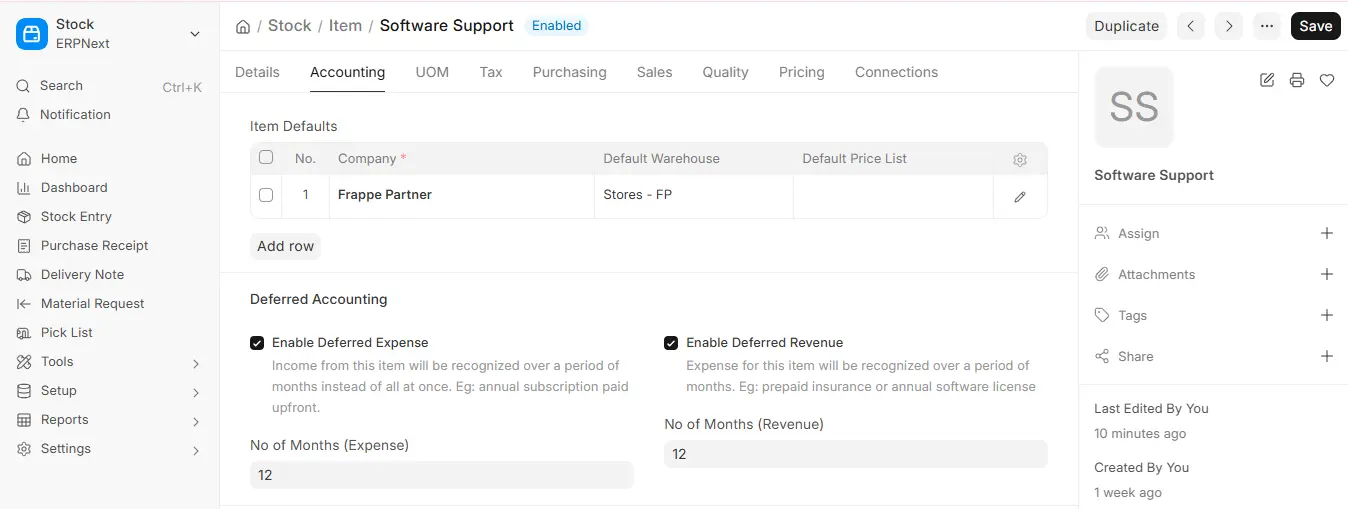
3. How to Create a Process Deferred Accounting
- Navigate to Process Deferred Accounting list and click on New.
- Choose the Company.
- Select the Type of deferred process:
- Income: to book Deferred Revenue
- Expense: to book Deferred Expense
- Enter the Posting Date.
- Input the Service Start Date and Service End Date.
- Save and Submit.
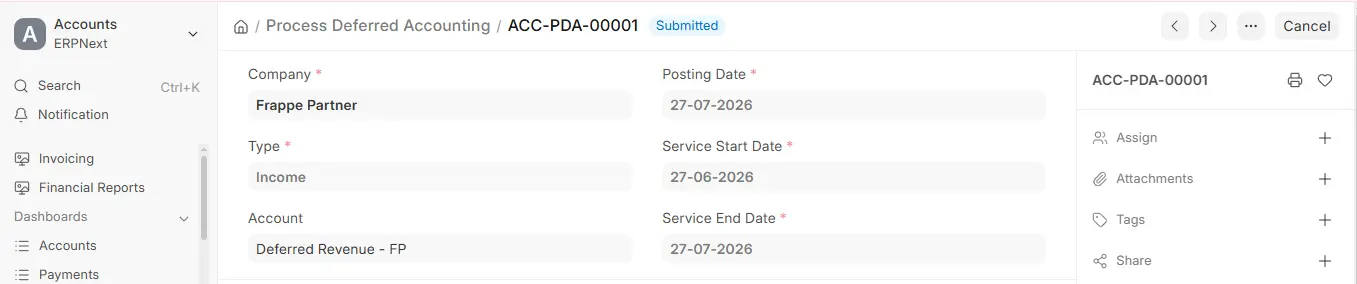
4. Features
4.1 On Submitting
- Upon submission, GL Entries are created automatically for all invoices within the Service Start and End Date.
- You may also enter an account if you wish the deferral to happen only on a specific Deferred Revenue or Expense account.
4.2 Automatic Deferred Accounting
To activate automatic processing:
- Go to: Accounts Settings
Desktop > Accounting > Accounts Setup > Accounts Settings
- Check the checkbox: Automatically Process Deferred Accounting Entry.

