Interview Type
Interview type means the several types of structured or unstructured interviews that are carried out by an organization, i.e., panel interviews, walk-in interviews, telephonic interviews, technical interviews, HR screenings, or video interviews. These types assist in classifying the recruitment process and provide clarity to recruiters, interviewers, and candidates about the type and expectations of each round.
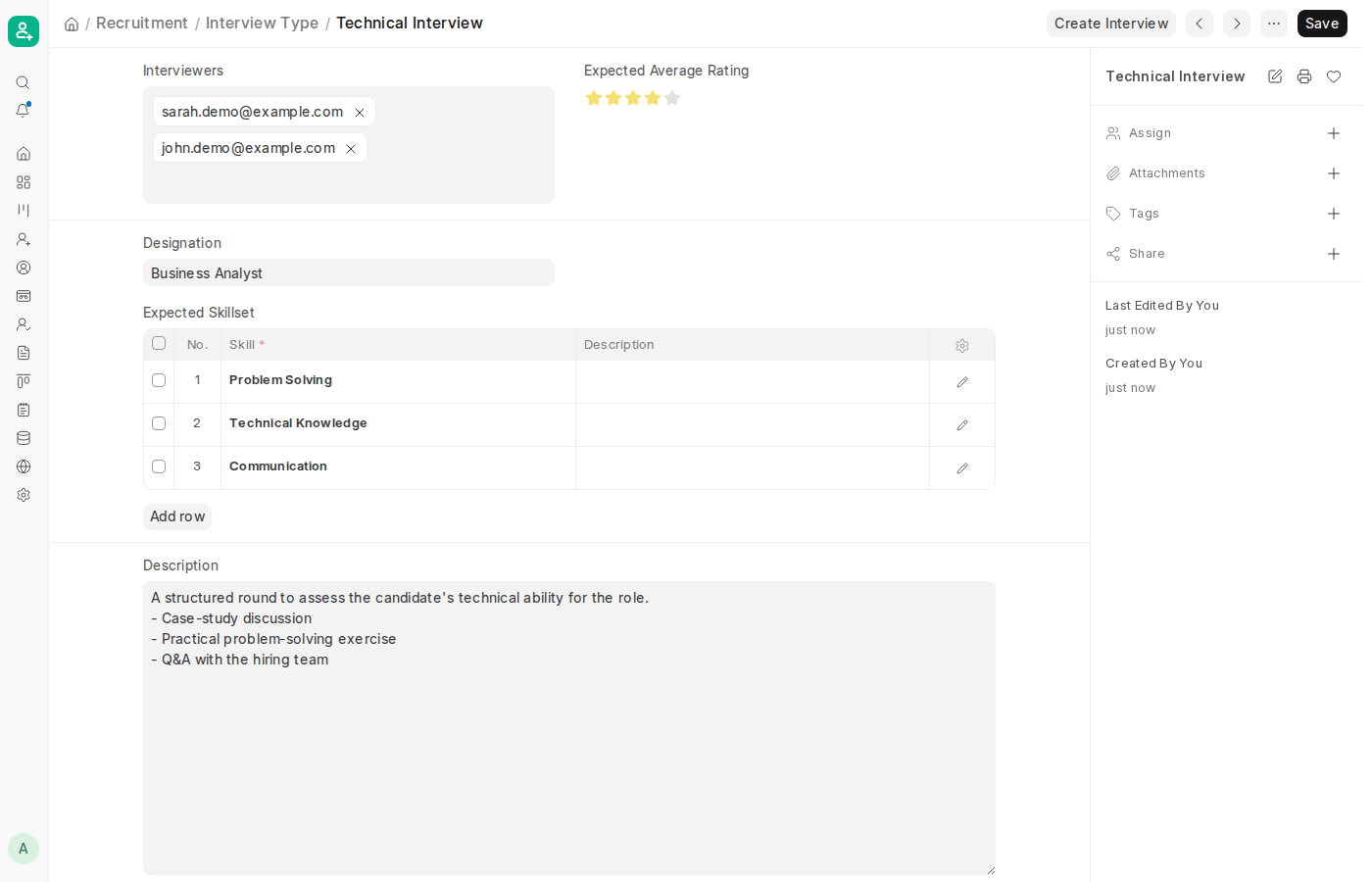
Each Interview in ERPNext is linked directly to an Interview Type, so that each candidate’s journey is comprehensively recorded and the organization adopts a standardized method across several candidates. In ERPNext v16, the separate Interview Round document used in earlier versions has been merged into Interview Type, so the interviewers, expected rating and expected skills for a round are now all defined on the Interview Type itself. By establishing Interview Types, you can standardize your hiring process and adopt the same approach for conducting interviews for similar positions.
1. How to Create an Interview Type
- To start creating a new type, click on Add Interview Type from the list view.
- Enter the Interview Type Name (e.g., Technical Interview, HR Interview, Group Discussion, etc.).
- Select the Interviewers who usually conduct this type of interview.
- Set the Expected Average Rating that a candidate should achieve in this interview.
- Optionally, select the Designation that this interview is meant for.
- Add the skills to be assessed in the Expected Skillset table. This table is mandatory, and the Interview Type cannot be saved until at least one skill has been added.
- Use the Description to explain the purpose and scope of this type of interview, how it must generally be carried out, what skills it is to test, and the format to be expected.
- When all needed information has been entered, click Save to save the Interview Type and make it accessible for use in Interviews.
- Once saved, click Create Interview to start a new Interview with this Interview Type and its interviewers already filled in.