
Types in Tax Template
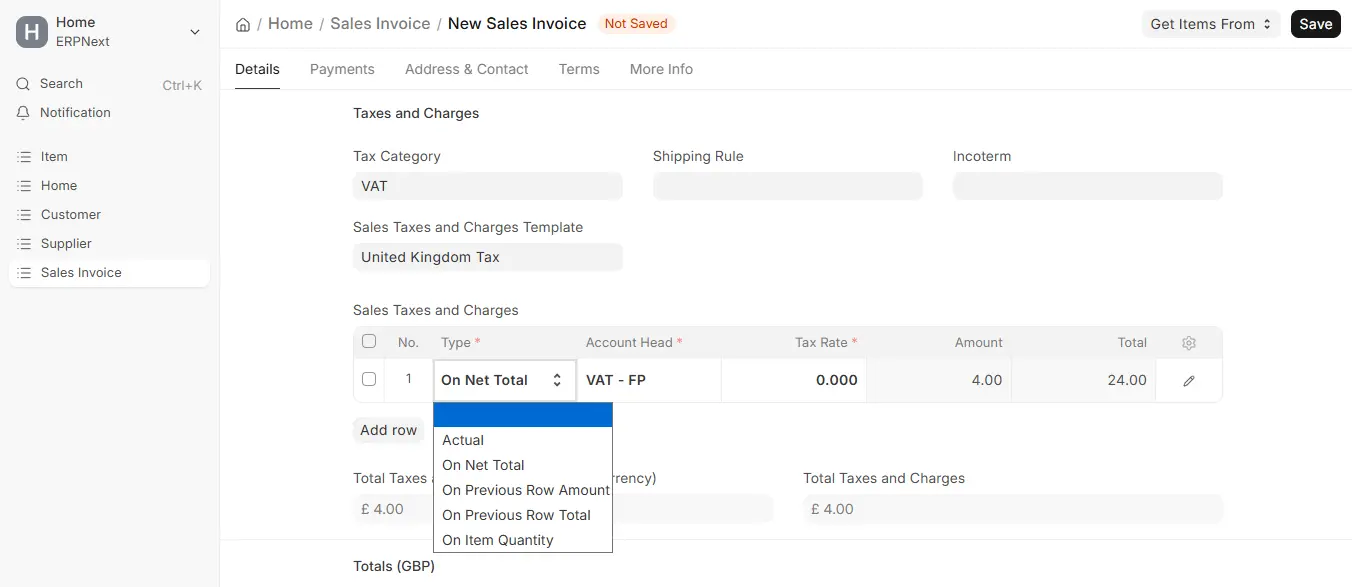
In the Purchase Taxes and Charges Template and Sales Taxes and Charges Template, there is a column named Types in Tax Template. Here’s how each Type is defined and Utilized:
Calculate Tax Based On
Actual
You can enter a fixed charge or expense amount directly in this.
On Net Total
Use this if the tax or charge is to be calculated on the Net Total of the transaction.
On Previous Row Amount
This field is utilized when the tax is to be computed on the value of another tax row.
On Previous Row Total
ERPNext sums a running total for every tax row.
- First row > Net Total + Tax from the first row
- Remaining rows > Add on top of the running total
On Item Quantity
Charge computed as (Rate × Item Quantity).
Use On Previous Row Total if you wish to apply a tax on the total of an earlier row.
Note: If you are going to use Previous Row Amount or Previous Row Total, you need to assign the Row No. to be used in the calculation as well.
On Item Quantity
Use this option for item-based or fixed charges that are quantity-dependent.

