
Freeze Accounting Entries
Introduction
Once you go live on ERPNext (if you are doing it for the first time or migrating from another system), you must ensure that no accounting entries are posted before your cutover date.
Cutover Date = The date when ERPNext becomes the master application for posting and processing business transactions.
To ensure the integrity of your accounting data, ERPNext has a Freeze Accounting Entries feature.
Freezing Accounting Entries in ERPNext
To freeze accounting entries until a specific date, proceed as follows:
Step 1
Go to:
Step 2
In the Company form (v16 moved this setting from Accounts Settings to the Company), enter the date in the following field:
Accounts Frozen Till Date
Step 3
Click Save.
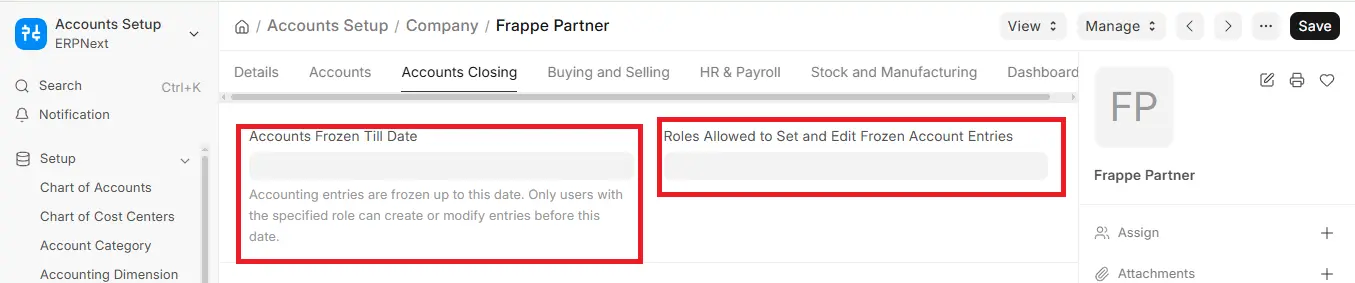
Now the system will prevent users from making any accounting entries prior to the date that has been frozen.
In case someone tries to create entries, ERPNext will generate an error message.

