
Amending Purchase Order after Submit
Purchase Order Rate and Qty can be altered after submission through the Update Items button. This is implemented for those situations where changes in price or quantity are required, even after submission of the document, to ensure that associated documents and stock/accounting entries are kept up to date.
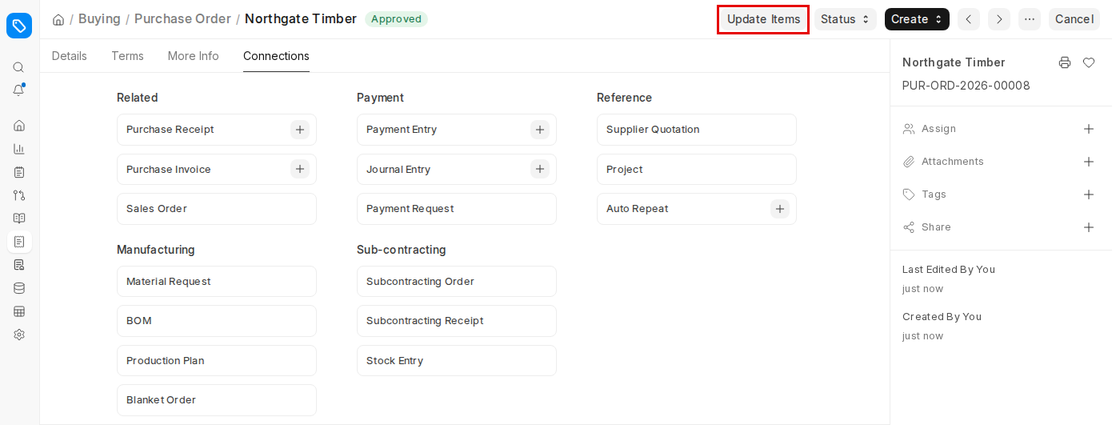
To Update Rate and Qty in a Submitted Purchase Order, select the Update Items button.
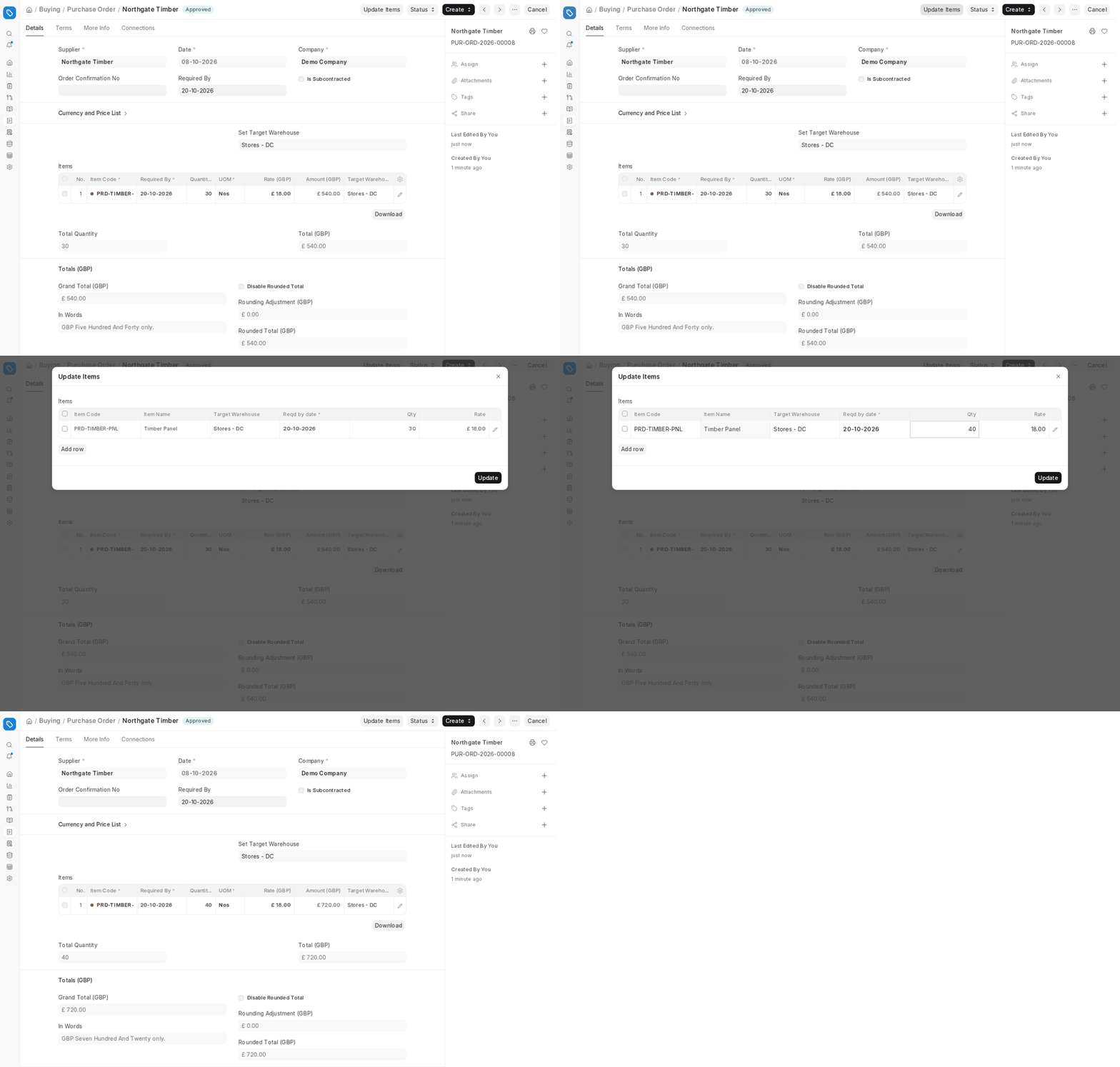
- A pop-up dialog box showing all the items in the Purchase Order will appear, with Item Code, Item Name, Target Warehouse, Reqd by date, Qty and Rate. You can also use Add row to add a new item.
- You may update the Rate and Quantity for each line item, according to the system validations.
- After updating, click Update. The system revises the submitted Purchase Order (no cancel and Amendment needed) and records the change in the document’s Activity, for example “changed the value of Total Quantity from 20 to 30”.
Please Note the following validations and use cases:
Update Features:
- ERPNext will then verify whether the Purchase Order is associated with Purchase Receipts or Purchase Invoices.
- If receipts or invoices already exist, only the part that has not yet been received or invoiced can be changed.
- The system ensures that stock and accounting integrity is preserved.
Qty Updates:
- Qty can be updated for un-received and partially-received Purchase Orders.
- If already received quantities are some, then only the unreceived/pending quantities can be modified.
- In case of Purchase Orders when the whole quantity is already received through Purchase Receipts, Qty cannot be changed.
- Example: Suppose 100 units were purchased and 60 units were received, you can increase or decrease the remaining 40 units.
Rate Updates:
- Rate can be refreshed for partially-invoiced and un-invoiced Purchase Orders.
- If invoices are already generated, only rates of pending/uninvoiced quantities can be changed.
- For Purchase Orders in which a submitted Purchase Invoice is present for the complete quantity, Rate cannot be refreshed.
- Example: If 50 units are already invoiced, the rate change will occur only for the remaining ones.
Audit Trail and Permissions:
- Any modification is recorded in the version history of the Purchase Order.
- Permissions are used to control the ability of users to modify items once they are submitted. This would normally be limited to Purchase Managers or Administrators.

