
Stock Entry Purpose
Products are shifted, corrected, consumed, or repackaged among warehouses or subcontractors by the help of an ERPNext utility transaction known as a Stock Entry. Each stock entry has a Stock Entry Type, which sets its Purpose; each purpose has its own use case.
The existing stock entry purposes and their detailed explanations are as follows:
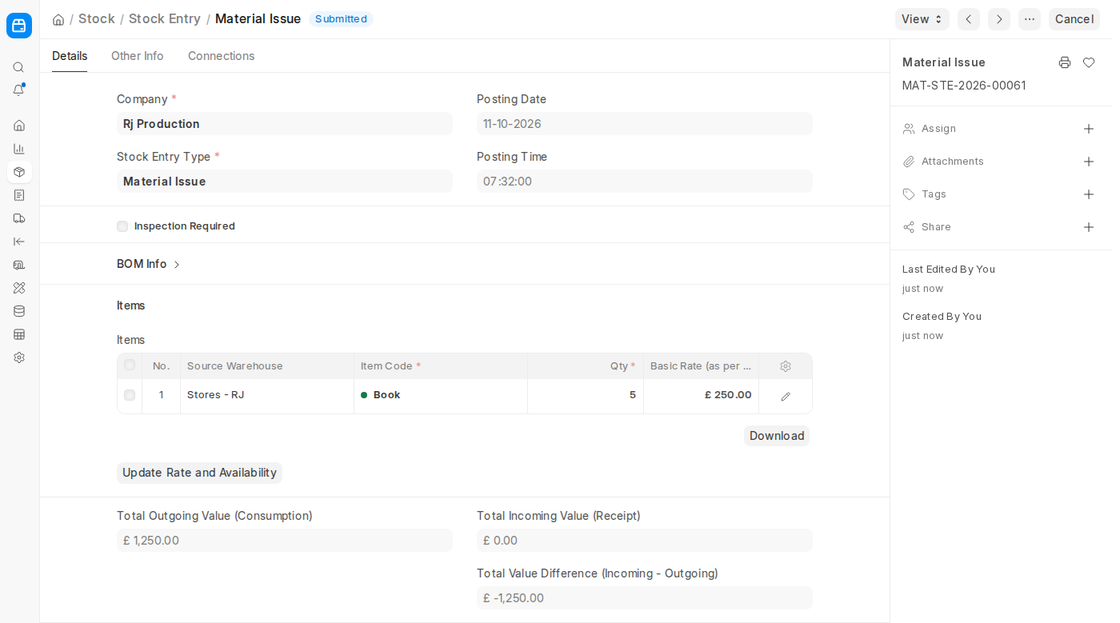
1. Material Issue
When merchandise ships out of a warehouse and is not received elsewhere, it is entered as a Material Issue. Stock decreases from the Source Warehouse when submitting.
Use Cases:
- Supplying low-cost consumables such as packing materials or office supplies; control of batched or serialised products where stock adjustments are required.
An example of this would be when pens are ordered by office workers from the stationery warehouse. The stock of pens reduces.
2. Material Receipt
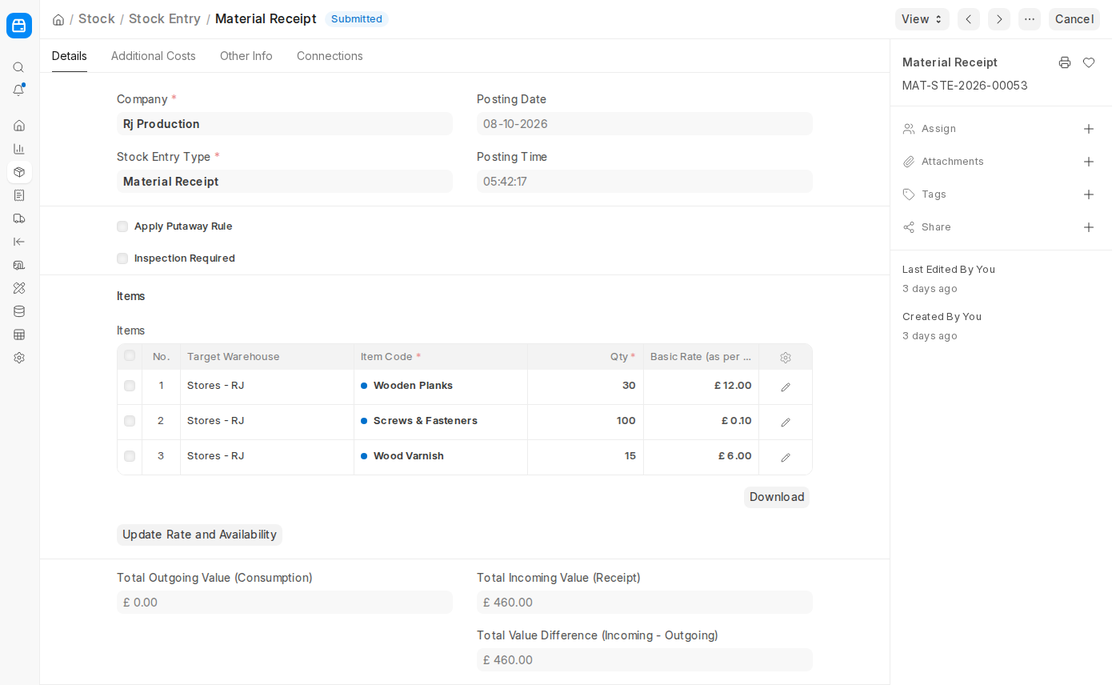
When products are added directly into a warehouse without going through a purchase transaction first, a Material Receipt posting is used. Stock in the Target Warehouse increases when submitted.
Use Cases:
- To record goods received without a purchase order (e.g., Donations or free samples).
- To post opening balances for serialised or batched goods.
- Adjusting for inventory on hand discovered with a physical inventory audit.
Note: ERPNext needs a valuation rate (the Basic Rate of the row, or the item’s valuation rate) to calculate stock valuation, so make sure it is set.
3. Materials Transfer
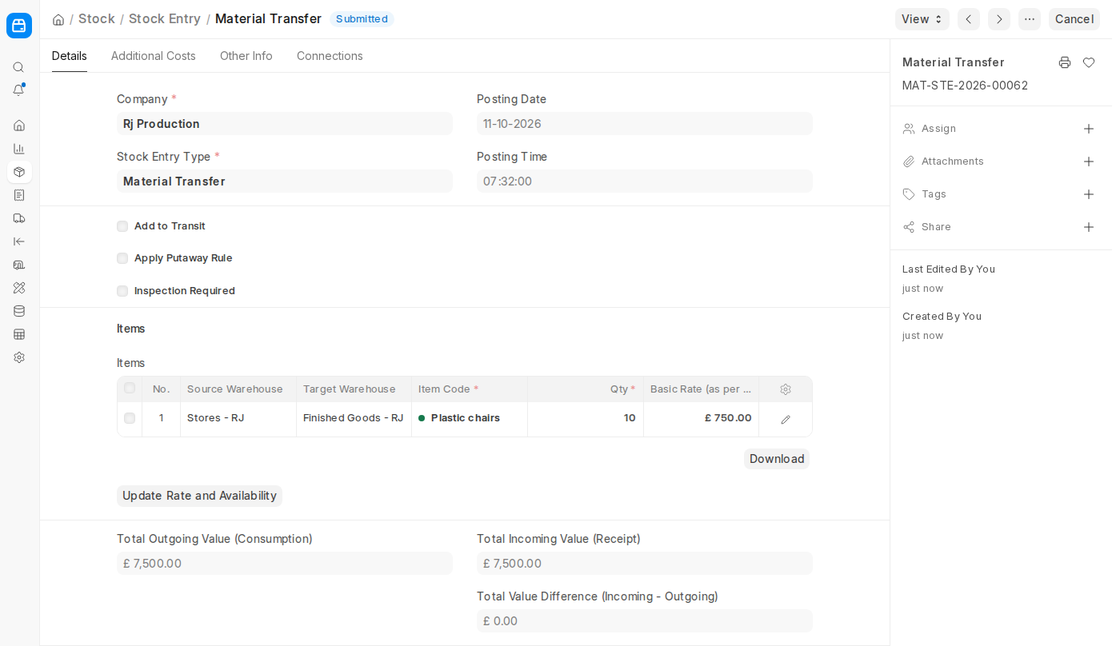
Where inventory is to be moved from one warehouse of a company to another, a Material Transfer is generated. Stock increases in the Target Warehouse and decreases in the Source Warehouse when submitted.
Use Cases:
- Moving stock between warehouses located in different branches or cities.
- Shipments of finished goods from the Production Warehouse to the Finished Goods Warehouse.
- Tick Add to Transit to move goods into a transit warehouse first, when they take time to arrive.
4. Material Transfer for Manufacture
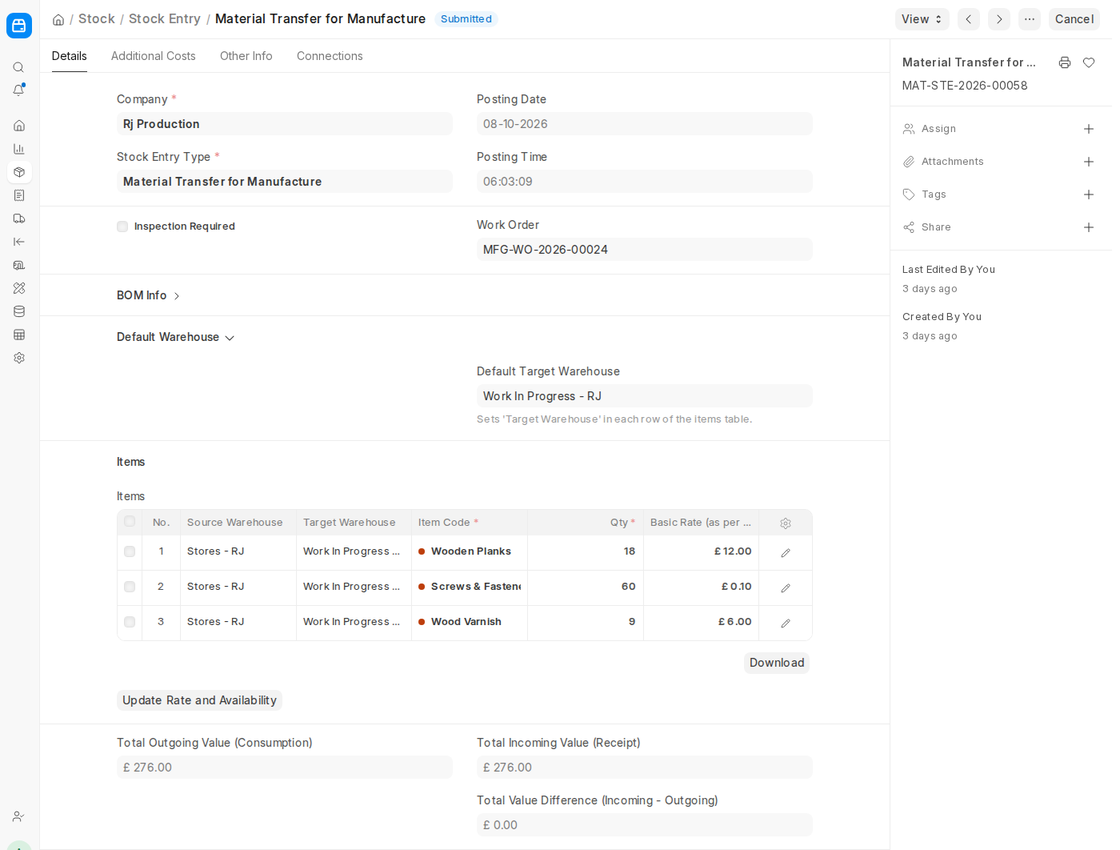
The Work-in-Progress (WIP) Warehouse is where raw materials are first moved from the Stores Warehouse during manufacturing. A Material Transfer for Manufacture entry is applied to capture this.
Use Cases:
- Created from a submitted Work Order by clicking Start and entering the quantity. The materials are taken from the Work Order’s required items, which come from the Bill of Materials (BOM) of the product being produced. The entry is linked to the Work Order.
Materials used to make tea, such as tea leaves and sugar, are transferred from warehouses to work-in-progress warehouse.
5. Material Consumption for Manufacture
The quantity of raw materials consumed during production is recorded in a Material Consumption entry. This ensures accurate tracking of resource use relative to the Work Order.
Use Cases:
- Tracking variances between actual material use and planned BOM consumption.
- Investigating manufacturing process effectiveness.
Upon Submission:
- Raw material inventories decrease from the WIP Warehouse.
6. Manufacture
To record completed goods as per a Work Order completion, a Manufacture entry is recorded. On submitting, completed goods are put into the target warehouse and raw materials are utilized.
Procedure:
- Raw materials are consumed from the WIP Warehouse (or from the Source Warehouse when the Work Order skips the material transfer).
- Finished goods arrive at the Target Warehouse.
Use Cases:
- On completion of a work order, recording production output.
The Warehouse of Finished Goods now contains 200 cups of tea that are packed after adding 5 kg of sugar and 2 kg of tea.
7. Repack
When products are bundled as kits or repacked in alternate forms, a Repack entry is made. The repacked products are stored in the warehouse once the source products have been depleted.
Use Cases:
- Breaking large amounts into small units (e.g., 50 kg bag of sugar → 1 kg packets).
- Creating kits or packs (gift hampers, for instance).
- Source item inventory decreases; repackaged item inventory increases.
8. Disassemble
A Disassemble entry records the breakup of a finished product into its component pieces. This leads to a reduction in the finished product and an increase in parts inventory.
Use Cases:
- Retrieval of raw materials from returned finished goods.
- Breaking up defective goods to recover usable components.
Upon Submission:
- Inventory of components increases while inventory of finished goods decreases.
9. Send to subcontractor
A Send to Subcontractor transaction is incurred every time raw materials are sent to a subcontractor for further processing. In ERPNext, products are shipped from the company’s warehouse to the supplier’s warehouse. This entry is usually created from a Subcontracting Order.
Use Cases:
Rolls of cloth are sent to a subcontractor to stitch, and raw materials are shipped for special processing that is not performed in-house.
Procedure:
- Inventory is monitored in the Subcontractor Warehouse (linked to the subcontractor); raw materials decrease from the Company Warehouse.
10. New Purposes in v16
ERPNext v16 adds four purposes for subcontracting inward, when you do job work for a customer using the customer’s materials:
- Receive from Customer: Record the raw materials the customer sends to you.
- Return Raw Material to Customer: Send unused customer materials back.
- Subcontracting Delivery: Deliver the finished goods made for the customer.
- Subcontracting Return: Record finished goods the customer sends back.
These entries are created from a Subcontracting Inward Order.

