
Delete Company Transactions
ERPNext continues to offer the ability to all Delete Company Transactions transactional records (Sales Orders, Invoices, Stock Entries, Payment Entries, etc.) for a given company, but retain master records such as Items, Customers, BOMs, Accounts, Employees, etc.
1. Transaction Deletion Record Tool
- Go to Transaction Deletion Record.
- Add a new document:
- Identify the Company whose transactions you want to remove.
- Optionally, modify the Excluded DocTypes table to avoid the removal of certain types of transactions.
- Save and Submit the document.
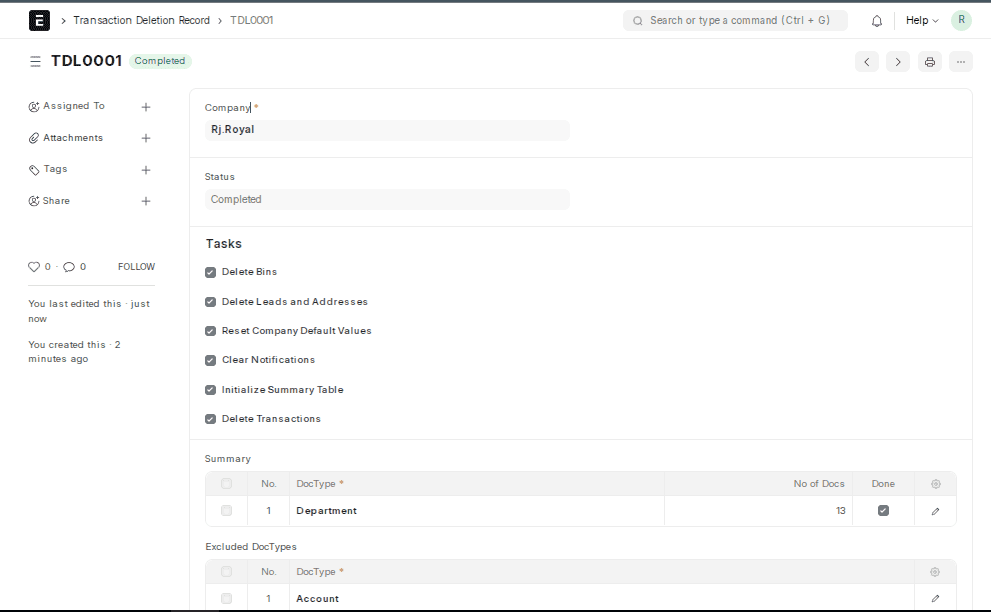
On execution, a Summary table will display which DocTypes were removed and how many records were deleted.
2. Delete Transactions through Company Form
- Go to Home → Accounting → Company and open your target company.
- Click the Delete Transactions button in the Manage menu (top right).
- Your password.
- The Company name for double-validation.Verify your identity by entering:
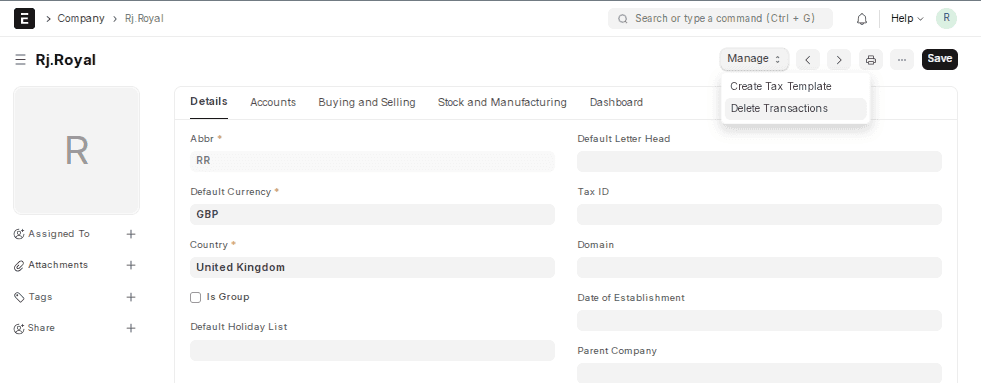
This operation automatically submits a new Transaction Deletion Record.
Note: This can be done only by users holding the System Manager role.

