
Product Bundle
In ERPNext, a product bundle is a virtual product that combines multiple stock items into one package and sells it as a single item. The system ensures that all of the individual items (child items) are shipped and that stock is appropriately adjusted after the bundle is sold.
For example, when a smartphone is sold, a charger, cable, and SIM ejector pin might be included. It is possible to create a smartphone product bundle that includes all of these as child items.
Similar to a sales-side bill of materials (BOM), a product bundle is useful when you want to sell as a group but have inventory at the item level.
Go to the Product Bundle:
1. Prerequisites
Make sure of the following before creating a product bundle:
- Both the parent and the child are present.
- When creating the item, do not select “Maintain Stock”; the parent item is an unstocked item.
2. How to create a Product Bundle
- Go to the Product Bundles list.
- To create a new product bundle, click Add Product Bundle. In the field for the Parent Item:
- Choose or make the virtual (non-stock) item (dinner set, for example) that symbolises the bundle.
- Make sure the item master has Maintain Stock unchecked.
- Establish the Parent Item’s Selling Price (optional if pricing is handled elsewhere).
- For internal use, you can optionally include a description.
- The Items (Child Items) table contains:
- Include all of the delivered physical goods, such as the cable, charger, and smartphone.
- Indicate how much of each item you need.
- Click Save.
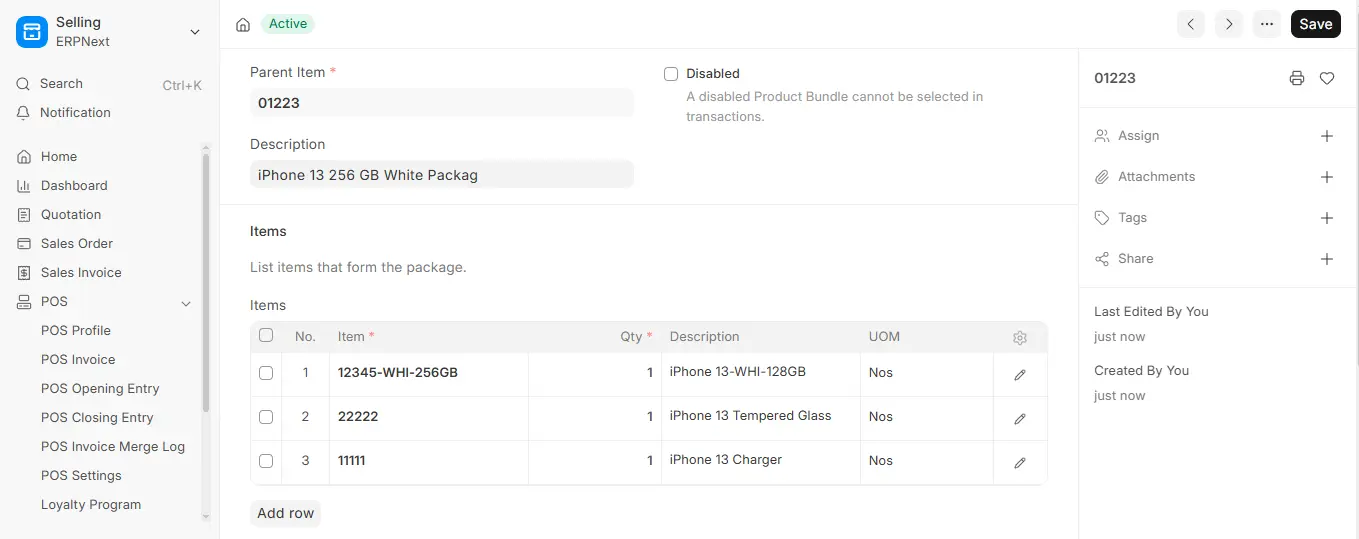
2.1 The Parent Item
- The parent item is a Virtual item that can only be sold.
- It ought to be marked as an item that is out of stock (not checked “Maintain Stock”).
- Although this item won’t have its own stock tracked, it will be visible in sales documents (such as sales orders and invoices).
- Use the Bill of Materials (BOM) and stock entry instead of product bundle if you need to keep track of stock on the bundled item itself.
2.2 Items for Children
- Arrange every tangible item in the Items table.
- These ought to be stock items.
- Since the Parent Item is virtual, even the main product (such as a smartphone) must be present.
3. Features
3.1 Product Bundle in the Sales Transactions
- Select the Parent Item whenever you raise a sales order, sales invoice, or delivery note.
- The system automatically adds the child items to the packing list.
- You can select the serial numbers directly from the packing list if any child items are being serialised.
- Upon submission:
- Only the child items—not the parent items—have stock subtracted.
- The quantity and warehouse chosen in the packing list are updated by the system.
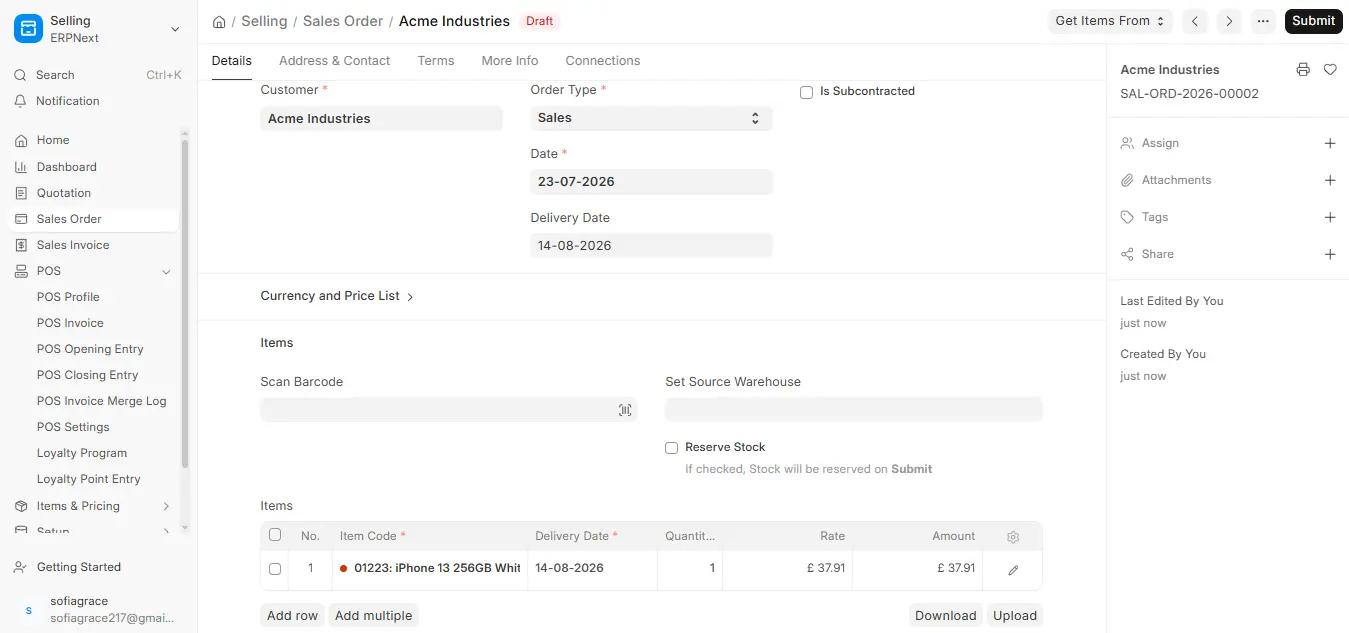
3.2 Use Case: Managing Deals and Promotions
Product bundles can be creatively used to manage schemes like:
- Buy One, Get One Free (BOGO)
- Make the offer’s parent item non-stock (for example, “Protein Pack – Buy 1 Get 1

