
Auto Creation of Material Request
Automatic generation of material requests
ERPNext also allows Auto Creation of Material Request depending on the Reorder Level and Reorder Quantity of an item to prevent stockouts and keep optimal levels of inventory.
How It Works
In the case that the expected amount of an item is less than its set reorder level, ERPNext can:
- Auto Creation of Material Request
- Send an alert to the Purchase Manager
- This would include the action to be taken (Purchase or Transfer) using settings in the Item Master
Configuration Steps
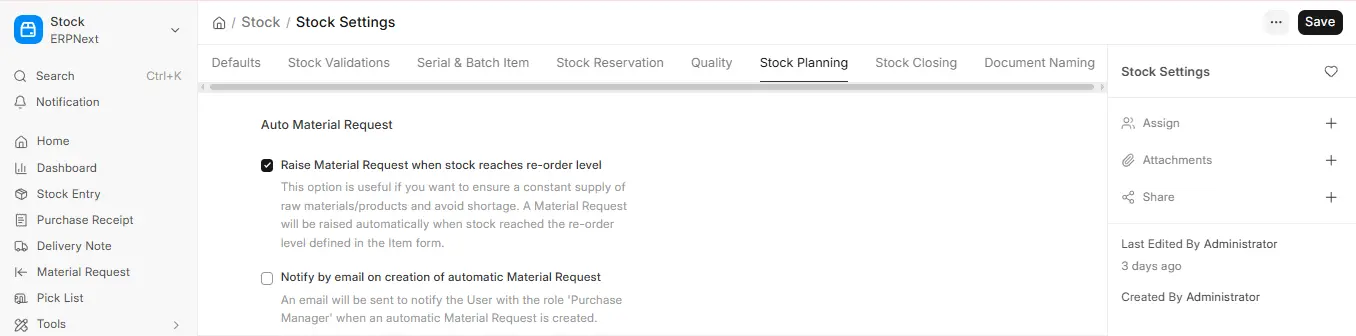
- Enable Auto Reordering:
- Go to: Stock > Setup > Stock Settings
- Turn on settings: At Re-order level make Material Requests automatically
- Set Reorder Rules:
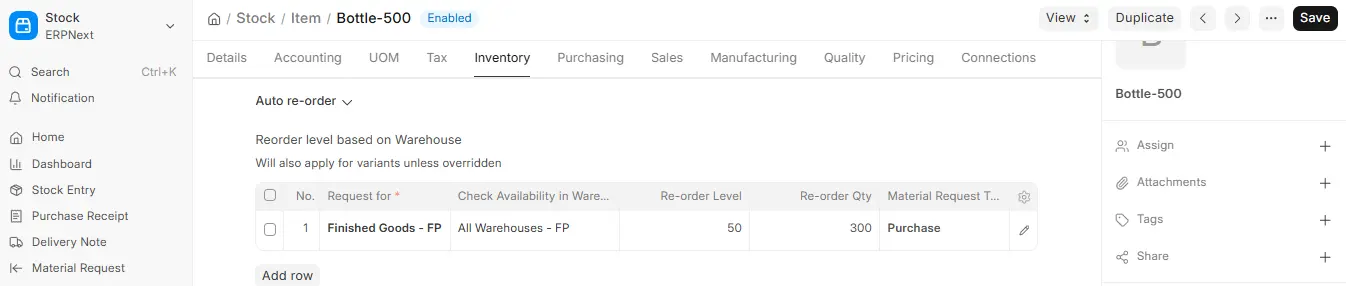
Go to Item Master.
Under the Reorder section define:
- Reorder Level
- Reorder Quantity
- Preferred Warehouse
- Request Type (i.e. Purchase or Material Transfer)
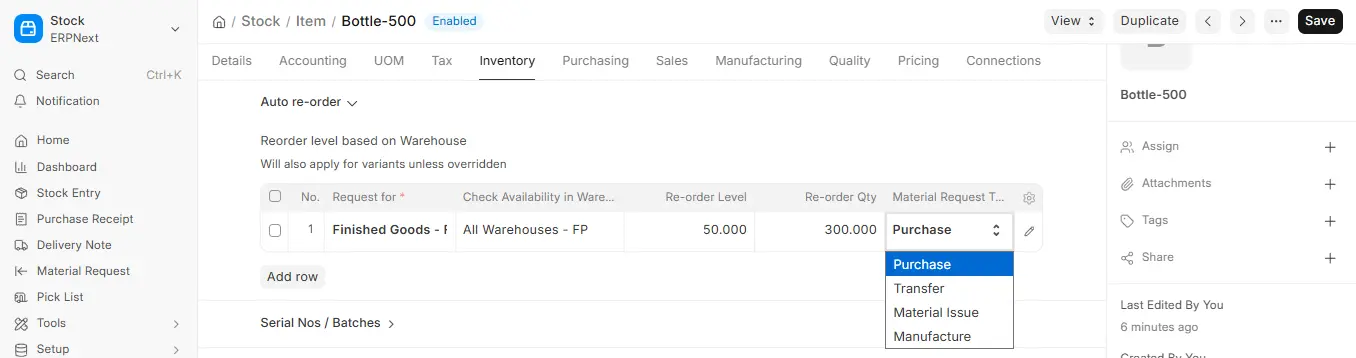
In case related to the set of the same item the thresholds are varied and connected with different warehouses, then you can create Warehouse-wise Reorder Rules.
Action Type Reordering
ERPNext gives you the option of determining how it will act when the reorder point is reached:
- Order: Open a Material Request of type Purchase.
- Transfer: Transfer stock in another warehouse via a Stock Transfer.
The chosen action will appear in the Purpose of the auto-created Material Request.
Notifications & Error handling
Material Request per item is prepared when necessary.
Manual creation shall be done through an email sent to Purchase Managers (or users having the required role).

