
Disassembly Order
The Disassembly Order in ERPNext is utilized to demobilize completed goods and return usable parts back into inventory. This is a useful process if an item can no longer be utilized as a completed product but its components may be salvaged and reused.
The system also offers the facility to manually reverse the valuation rate of parts being returned into stock, to keep inventory valuation correct.
Creating a Disassembly Order
To make a Disassembly Order, do the following:
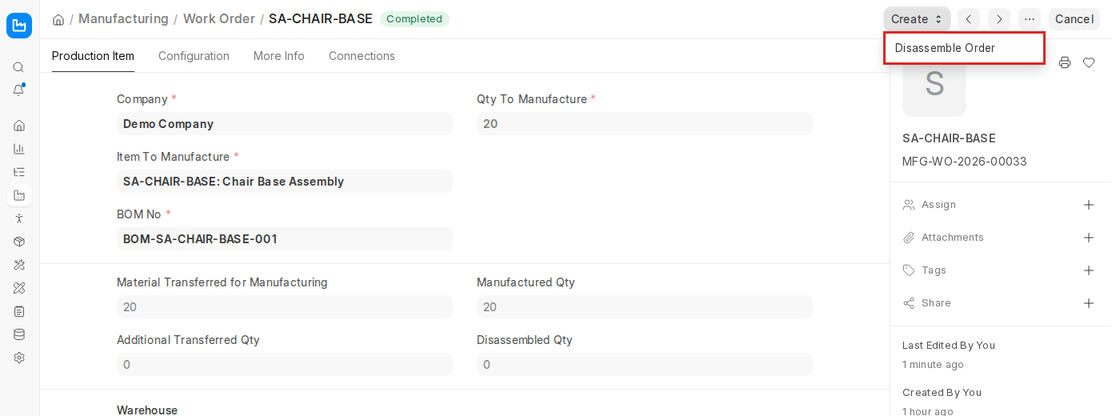
- Open a Work Order in Completed or Closed status.
- Click on Create.
- Select Disassemble Order from the dropdown.
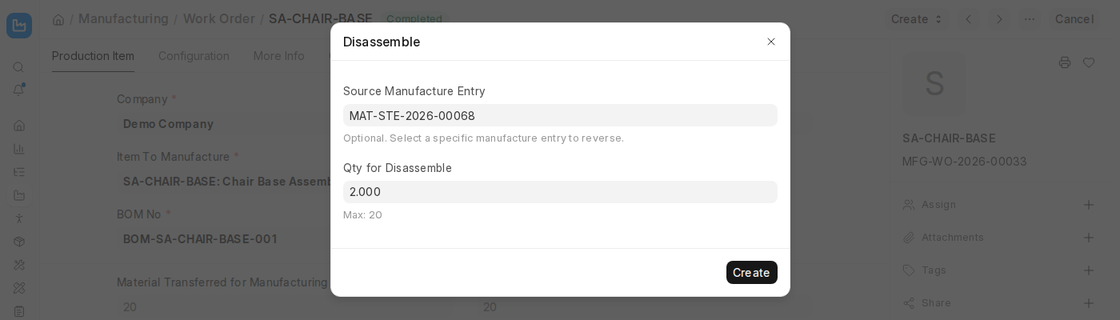
Upon clicking, a Disassemble dialog opens. Optionally select the Source Manufacture Entry to reverse, enter the Qty for Disassemble (up to the manufactured quantity) and click Create.
ERPNext then opens a Stock Entry with the type already specified as Disassemble.
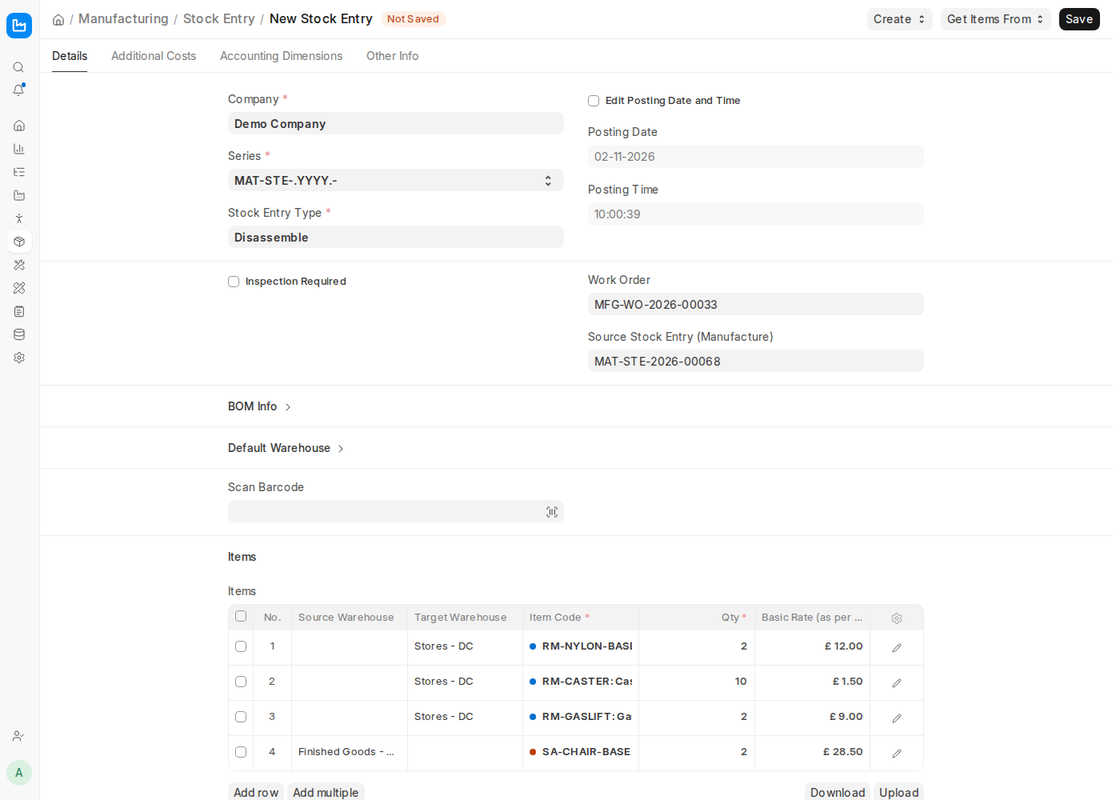
The original manufactured good will appear in the source item row, while all the original BOM’s raw material Components will auto-populate in the target rows of the stock entry.
Disassembly Process Interface
In the Disassembly Stock Entry:
- Item Code and Quantity for the finished good to be disassembled are auto-filled.
- The raw materials that can be recovered from disassembly are obtained through the original BOM used for assembly. The system will fill in the valuation rates of these items based on past transactions Users can manually remove any items that are damaged or unusable and should not be returned to inventory.
- The Basic Rate of each part can be altered to better show an improved market or recoverable value.
Thus, it keeps the inventory at a correct value and supports reverse logistics, especially in manufacturing.