
Track Items Using Barcode
A barcode is a line and space representation of a machine-readable code that encodes information. In ERPNext, there is an option to Track Items Using Barcode on the items so that they can be identified and retrieved quickly at the time of making a transaction. Barcode scanners are an input tool, such as a keyboard. The value attached to a barcode is automatically entered wherever the cursor is pointing when the barcode is scanned.
Item Master
To apply a barcode to a specific item:
- Choose the Item record from the Item Master.
- Type in the barcode value in the specified field when creating or modifying the item.
- More than one barcode can be applied to the same item if the item is packed or labeled differently.
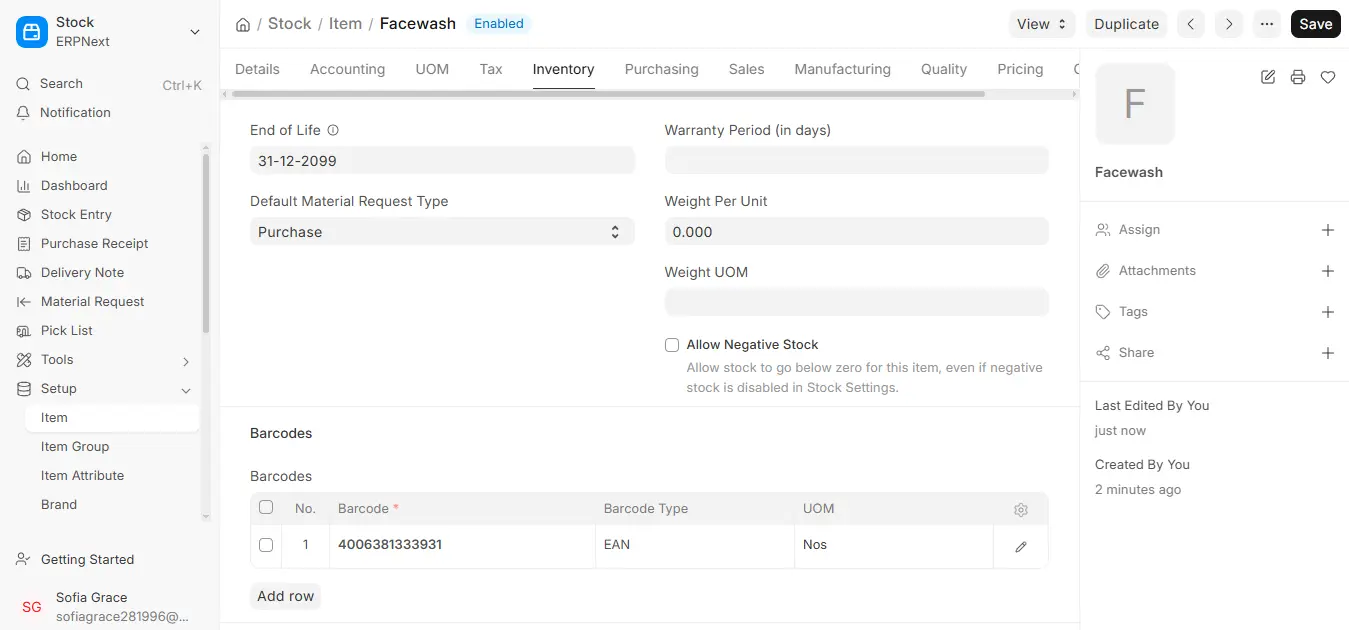
After the barcode field is maintained in the Item Master, items may be retrieved directly based on the barcode in the below transactions:
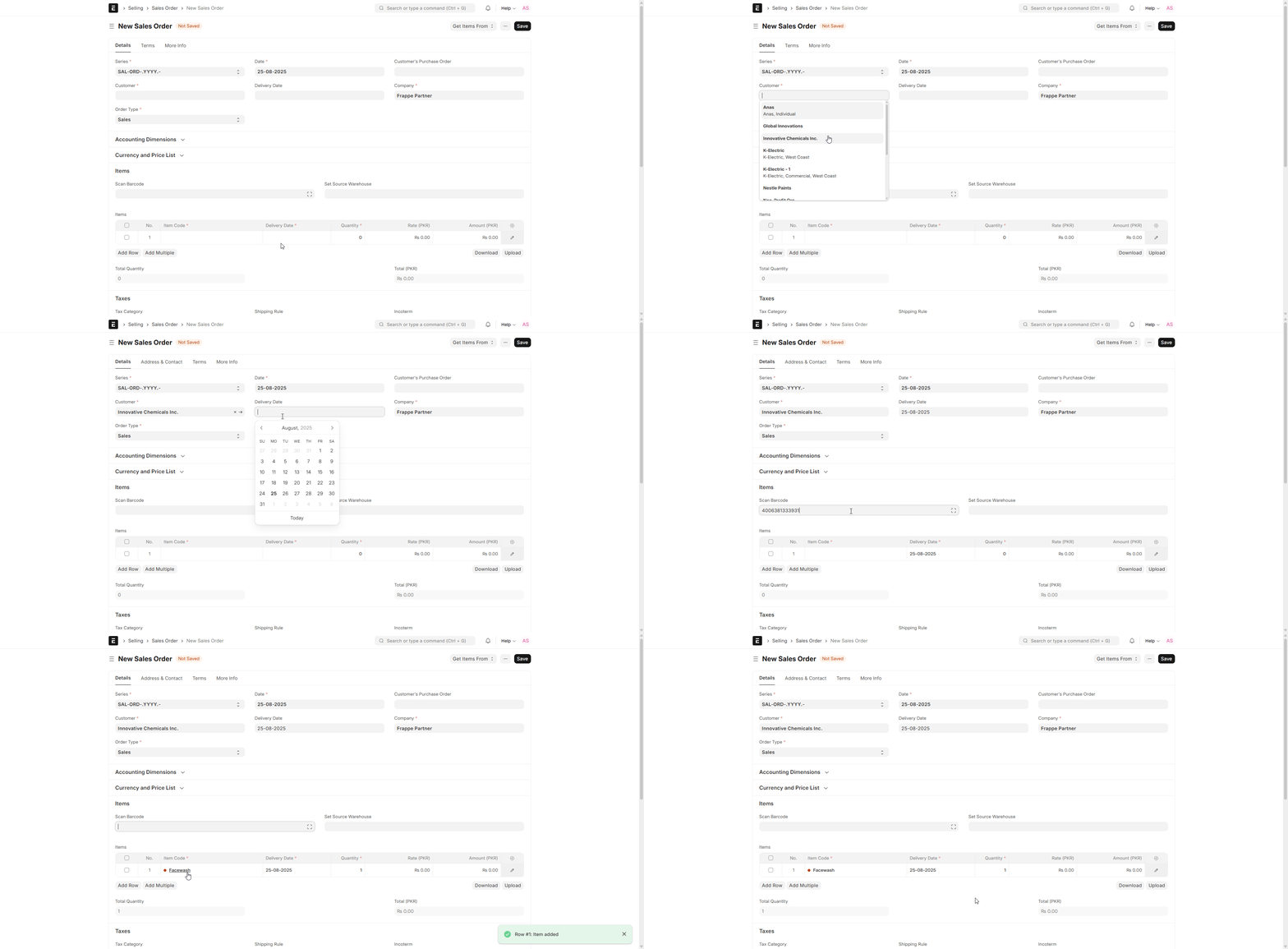
- Delivery Note
- Sales Invoice
- Purchase Receipt
- Stock Reconciliation
This makes sure that the system recognizes the correct item automatically and eliminates manual entry errors.
Utilizing Mobile Phone / Smartphone to Scan and Add Items
ERPNext allows barcoding using a smartphone camera and dispenses with the requirement of a dedicated barcode scanner. This functionality enables users to carry out operations like:
- Scanning barcodes within the Item Master to add or modify items.
- Utilizing the camera to bring items into sales, purchase, and stock transactions with a simple scan of their barcode.
- Adding items into transactions in a flash, enhancing speed and accuracy in warehouse and retail settings.
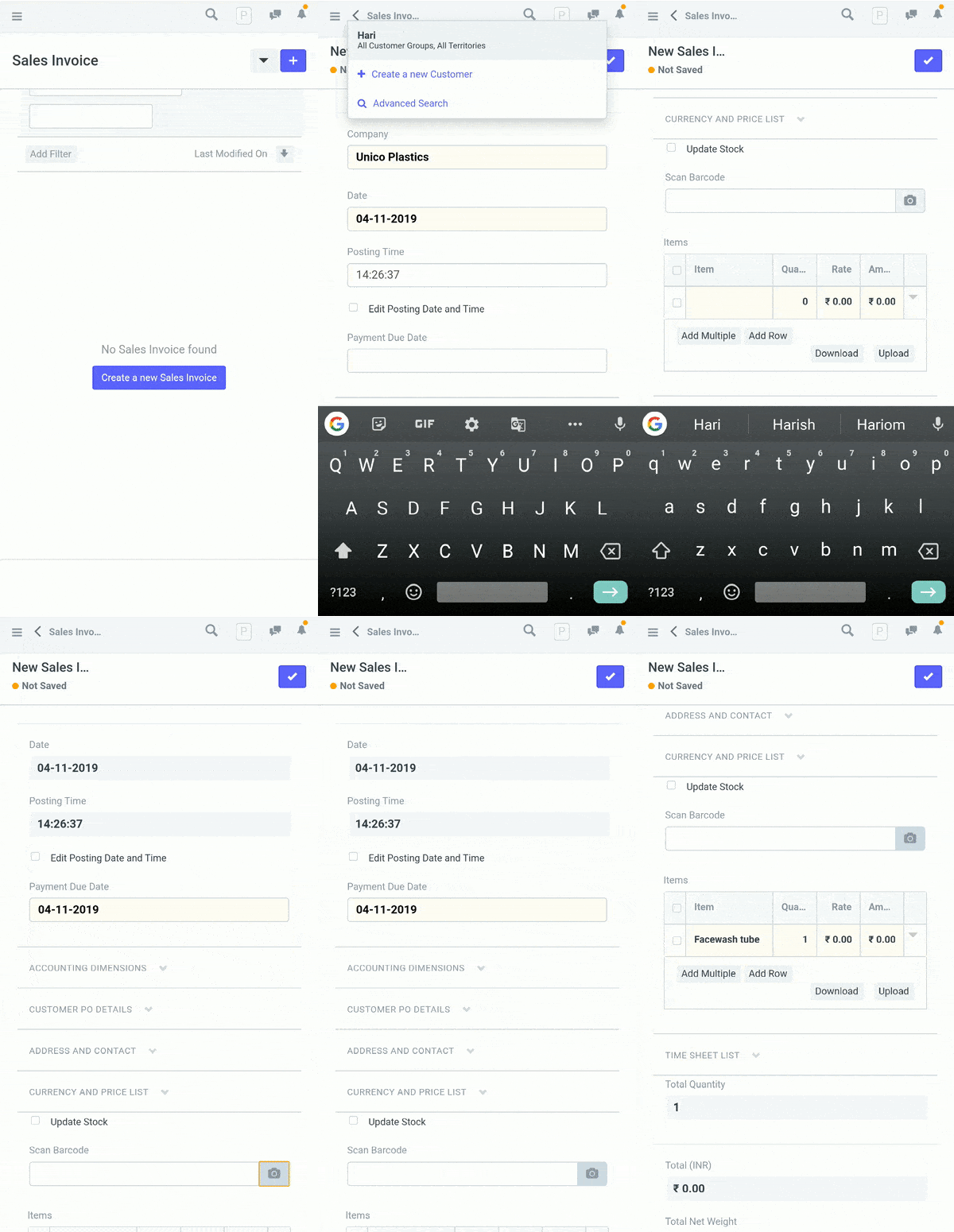
This feature is particularly valuable for companies operating mobile-first operations, allowing easy stock management, billing, and inventory reconciliation from smartphones or tablets.

