
Accounting Period
An accounting period ERPNext is a set amount of time during which financial transactions can be recorded and managed. It helps ensure accurate reporting and prevents unauthorized changes after books are closed.
In ERPNext accounting periods, you can control and restrict transactions, lock transactions, or freeze transactions such as Sales Invoices, Journal Entries, and Stock Entries within a defined date range. Once the period is closed, selected transactions dated within it cannot be submitted.
ERPNext accounting period navigation path:
Accounting > Accounts Setup > Opening & Closing > Accounting Period
1. What is the significance of the accounting period?
The ERPNext accounting period purpose is to maintain financial accuracy and control.
- When a transaction is submitted, it affects the ledger and reports
- Allowing entries outside the allowed period can disrupt audits and tax filings
- Using ERPNext accounting period freeze transactions ensures data integrity
- Helps in financial closing such as ERPNext fiscal year accounting periods
- Accounting periods help keep financial data safe and reports Honest, especially at the end of the year or after audits.
It is especially useful for ERPNext accounting period monthly quarterly reporting and year-end closing.
2. ERPNext Accounting Period Setup
2.1 How to create an Accounting Period ERPNext
- Click on Accounting > Accounts Setup > Accounting Period (ERPNext accounting period navigation)
- To make a new period, click on Add Accounting Period.
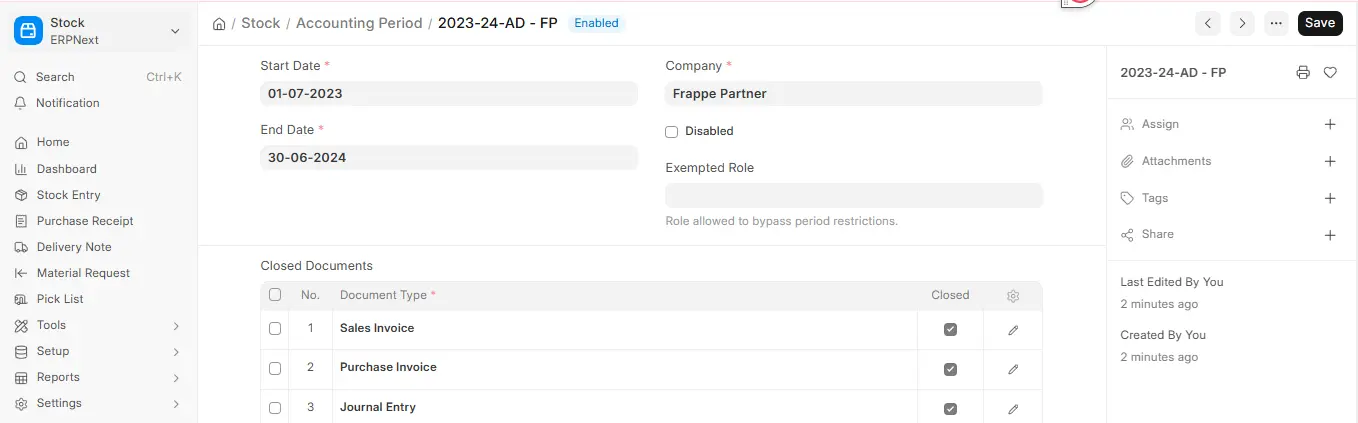
- Type in a name for the time period, like Q1 2025.
- Set the period’s start and end dates.
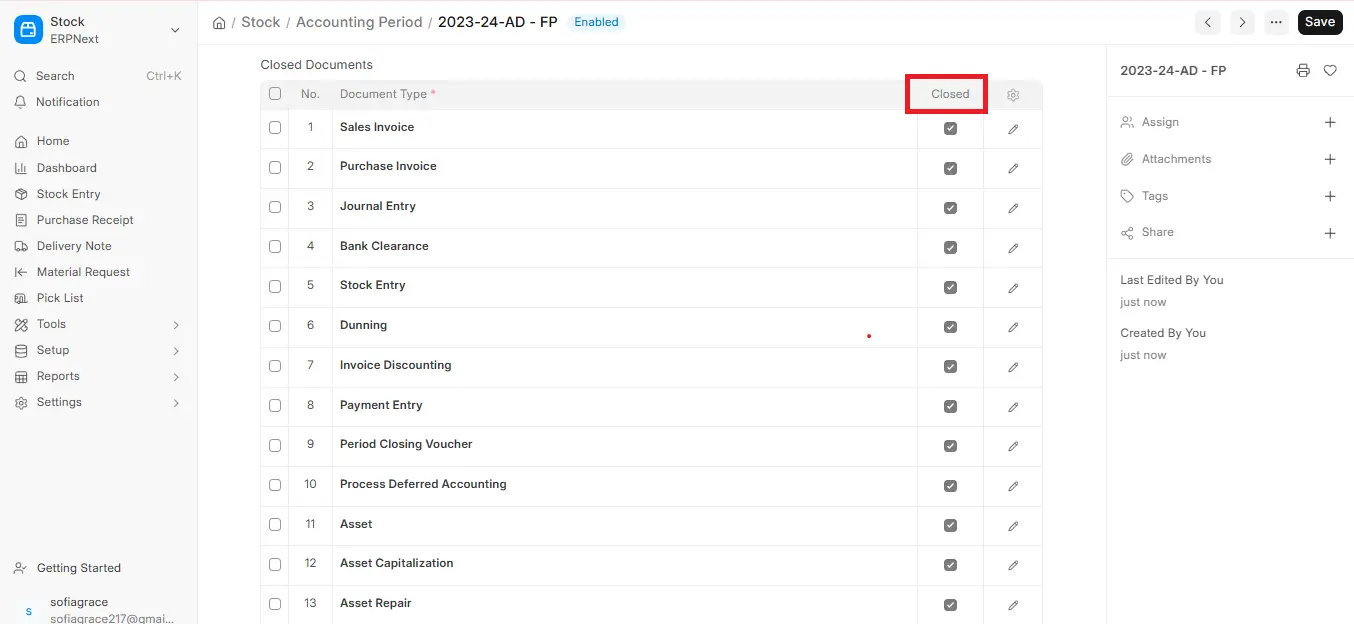
- Add the types of transactions you want to control to the child table (for example, a sales invoice or a journal entry).
- Check the “Closed” box next to each type of transaction you want to limit after the period ends.
- Press Save (Accounting Period is not a submittable document).
This process is part of ERPNext accounting period setup and allows full control over transaction flow.
2.2 What does the “Closed” choice do?
The Closed checkbox controls ERPNext accounting period freezing transactions:
- If checked → system will restrict transactions ERPNext accounting period after period ends
- If unchecked → transactions remain open
- This is how ERPNext accounting period locking transactions works in practice.
Note: If you try to submit a “closed” transaction type with a posting date inside the period, ERPNext will give you a validation error.
Important Notes:
- Once applied, ERPNext accounting period freeze is strict
- Only users with the Exempted Role set on the Accounting Period (v16) can bypass ERPNext accounting period locking
- If a user tries to submit a restricted transaction → system shows validation error
This ensures proper ERPNext accounting period restrict transactions behavior and audit compliance.
3. ERPNext Accounting Period Feature Highlights
- Control transaction posting dates
- Enable ERPNext accounting period freezing
- Apply ERPNext accounting period locking transactions
- Support monthly, quarterly, and yearly periods
- Improve audit readiness and complianc
4. Conclusion
In conclusion, the accounting period ERPNext feature plays a critical role in maintaining financial accuracy and control over business transactions. By defining clear time ranges, businesses can effectively restrict transactions, lock transactions, and apply ERPNext accounting period freeze transactions to prevent unauthorized changes after financial closing.
With flexible options for ERPNext accounting period monthly quarterly setup and seamless integration with ERPNext fiscal year accounting periods, organizations can ensure proper financial reporting and audit readiness. The ability to enforce ERPNext accounting period locking transactions and freezing transactions adds an extra layer of data security and compliance.
Overall, ERPNext accounting periods help streamline financial management, improve transparency, and ensure that all records remain accurate, making it an essential feature for efficient accounting and business operations.

