
Buying Reports
Effective buying is crucial in any organization because it helps to manage costs, inventories and the performance of the suppliers. ERPNext offers numerous buying reports that better understand the real-time business of a company. With the help of these reports, the stakeholders will be able to review purchases in various dimensions and make informed decisions.
Structure of Reports in the Buying Module
In ERPNext v16 the buying reports are listed in the Reports section of the Buying sidebar. Each report typically consists of the following components:
1. Filter Toolbar
- Allows the user to filter information with a mandatory term like a supplier, timespan, item group, or project.
- Aids in concentrated study and rapid division of information.
2. Chart Section
- Represents the trend of the data graphically as well as in pie charts or bar diagrammatic representations.
- Helps to understand the outliers and patterns in a short time.
3. Tabular Data View
- Shows precise data entries in a table-like format.
- Has the option of exporting to Excel/CSV (Actions > Export) for more analysis.
1. Purchase Analytics Report
Navigation Path:
The Purchase Analytics report is a powerful analytical tool that lets users evaluate purchasing trends and volumes over time. This report helps in breaking down data by Tree Type:
- Suppliers
- Supplier Groups
- Items
- Item Groups
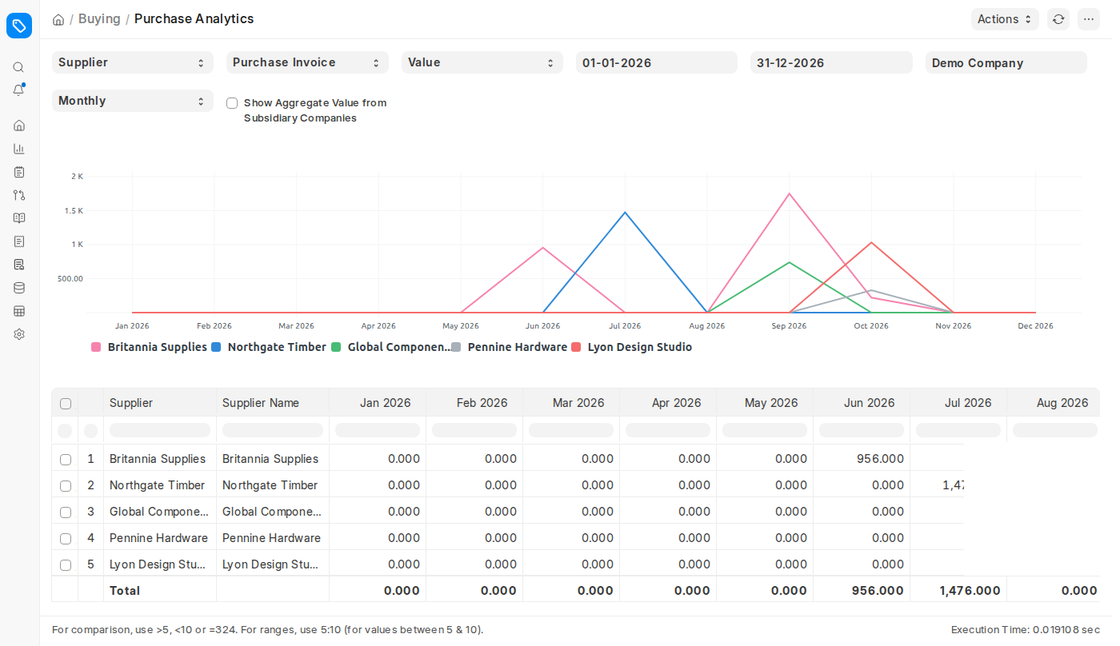
You can choose whether it is based on Purchase Orders, Purchase Receipts or Purchase Invoices, show Value or Quantity, and set the Range to Weekly, Monthly, Quarterly or Yearly to understand seasonality or supplier performance.
Key Features:
- Filter by company and date range; analyse by supplier, supplier group, item or item group.
- The chart allows a visual comparison of purchase volumes or values over time.
- Identify the most purchased items and top-performing suppliers.
Benefits:
- Favors budgeting and forecasting.
- Improves performance reviews of suppliers.
- Helps save wasted money by establishing the expensive or unnecessary purchases.
2. Purchase Order Analysis
Navigation Path:
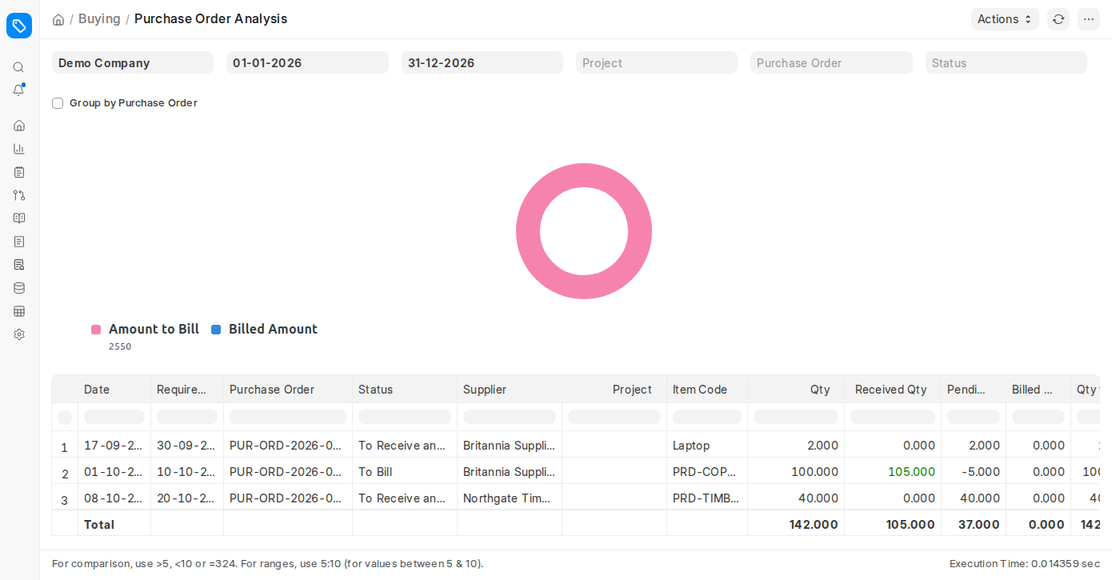
In this report, purchase orders (POs) are in a detailed perspective with an overview of item level information and billing status. It is a must in terms of monitoring open orders, partially received or billed items and completed purchases. You can filter by Project, Purchase Order and Status (To Pay, To Bill, To Receive, To Receive and Bill, Completed, Closed), and tick Group by Purchase Order.
Key Features:
- View each PO and its associated items.
- See quantities ordered vs. quantities received, and amounts billed vs. amounts still to bill.
- Identify pending or delayed billing.
Benefits:
- Minimizes procurement and accounting differences.
- Allows making of prompt follow-ups on outstanding invoices.
- Enhances the control of cash flow by improving billing visibility.
3. Supplier-Wise Sales Analytics
The Supplier-Wise Sales Analytics report is no longer available in ERPNext v16. To analyse purchases per supplier, use Purchase Analytics with Tree Type Supplier, or Item-wise Purchase History.
4. Requested Items to Order and Receive
Navigation Path:
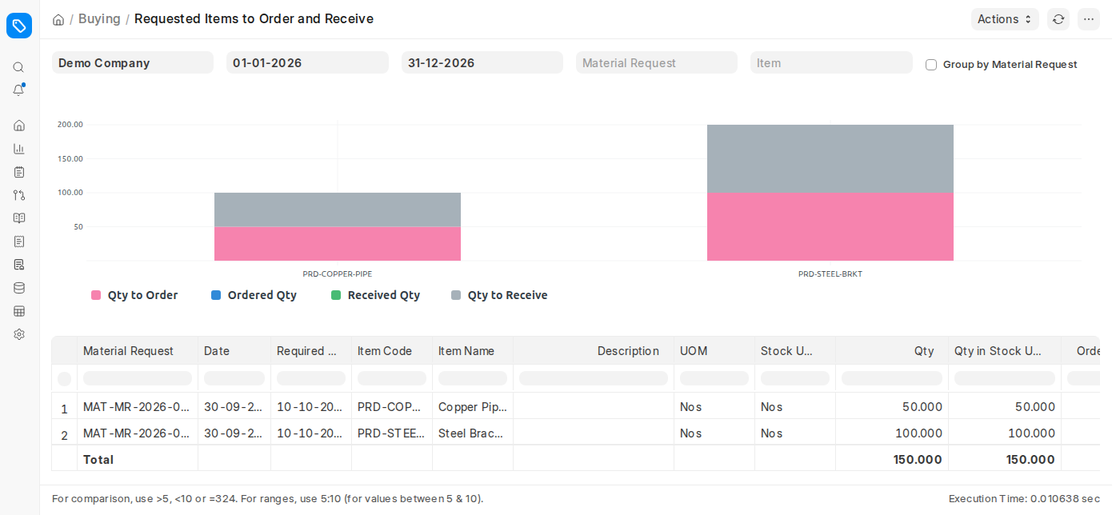
This report brings into view the outstanding procurement operations for Material Requests by highlighting:
- Requested items that still have to be ordered (Qty to Order).
- Ordered items that are not received yet (Qty to Receive).
Key Features:
- Filter by Material Request and Item, and group by Material Request.
- Shows the ordered, received and pending quantities of each requested item.
- Shows potential delays of the supply chain.
Benefits:
- Avoids out-of-stock.
- Automates the procurement and inventory planning.
- Combines the purchasing and the warehouse operations.
5. Purchase Order Trends
Navigation Path:
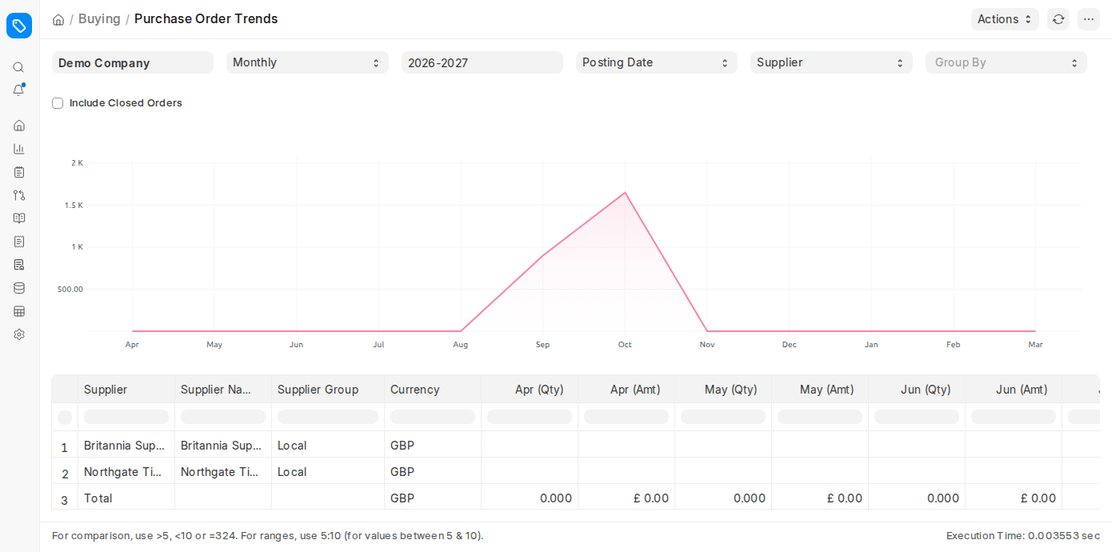
The report gives a graphical presentation of the purchase orders based on time (Monthly, Quarterly, Half-Yearly or Yearly within a Fiscal Year). It assists in determining the trends of procurement, peaks or decreases during a fiscal year.
Based On Options:
- By Supplier
- By Supplier Group
- By Item
- By Item Group
- By Project
Benefits:
- Favors yearly or quarterly review of procurements.
- Assistance in demand planning, seasonal.
- Gives strategic information on the performance of the vendors and procurement.
6. Procurement Tracker
Navigation Path:
The Procurement Tracker is a detailed report, which entails the integration of Material Requests, Purchase Orders, Purchase Receipts, and Purchase Invoices into one unified source.
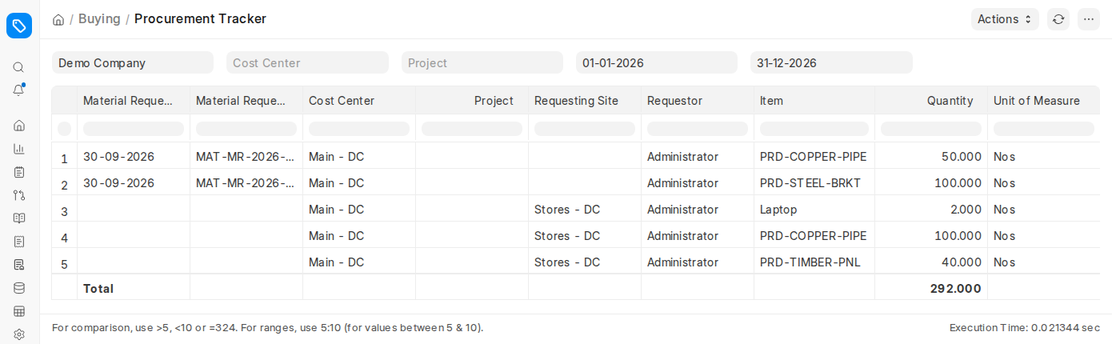
Key Features:
- Tracking of procurement process.
- Displays the position of each object along the procurement pipeline.
- Has company, cost center, project and date filters.
Benefits:
- Improves accountability and traceability.
- Determines delays and bottlenecks in procurement cycle.
- Provides a full overview to procurement audits and compliance.
7. Other Reports of Importance in Buying Module
Navigation Path:
a. Items To Be Requested
- Items below reorder level are highlighted.
- Assist with timely ordering of materials.
b. Item-Wise Purchase History
- The purchase history item by item.
- Applicable in tracking of costs, comparison of suppliers and planning.
c. Purchase Receipt Trends
- Tracks receipt of goods with time.
- Assists in evaluating performance of vendor delivery.
d. Purchase Invoice Trends
- Invoice patterns and invoice volume.
- Applicable to the finance and accounts payable departments.
e. Subcontracted Item To Be Received (Home > Subcontracting > Reports > Items To Be Received)
- Displays products that have been outsourced to be manufactured but not received.
- Helps coordinate the subcontracting processes.
f. Supplier Quotation Comparison
- Compares the rates quoted by different suppliers for the same items.
- Assists in the assessment of vendors and negotiation of costs.

