
Job Card Summary
To go to the Job Card Summary, use:
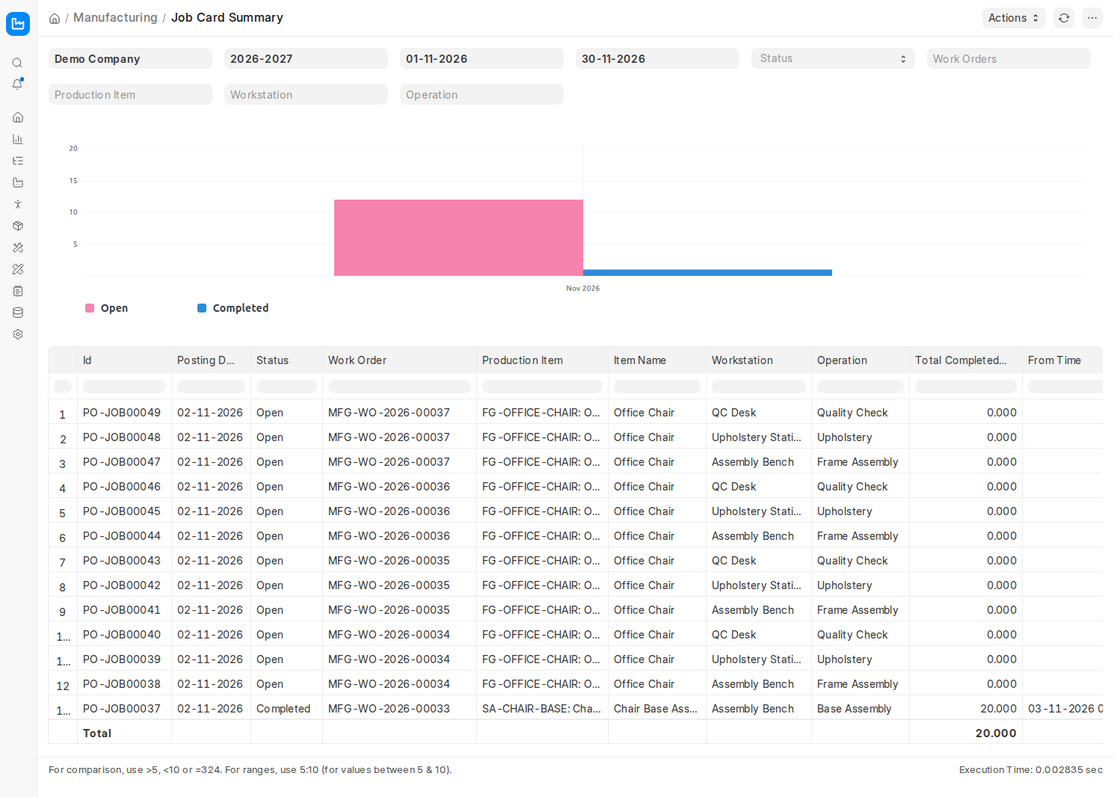
This report gives clear details about all Job Cards created via Work Orders, along with their status like Open, Work In Progress, Material Transferred, On Hold, Completed, or Cancelled. Each Job Card is associated with certain operations, workstations, employees, and planned/actual time periods.
Based on this report, users can track the history of Job Cards within a chosen time frame, e.g., the current month or a user-defined date range. It enables one to filter the Job Cards based on company, fiscal year, posting date range, status, work order, production item, workstation or operation, hence having a better visibility and control over shop floor execution.
The report comes in handy when one wishes to keep a track of the number of Open and Completed Job Cards, to measure the performance, to know the aspect of delay in production and to ensure that the all the task assigned are being as per the wish.