Lead Source
A Lead Source within ERPNext is the particular channel or source from which a potential lead Originates. It is essential to track lead sources so that one may know what marketing efforts are performing best, determine the high-conversion channels, and allocate budget wisely. In ERPNext v16, Lead Sources are stored as UTM Source records. The source is selected in the Source field of the Analytics section on Leads, Opportunities, Quotations and Sales Orders, together with the UTM Medium and Campaign, for more in-depth analytics.
Examples of lead sources
- The usage of contact forms on websites
- Facebook advertising (Facebook, LinkedIn, Instagram, and so on).
- Email advertising campaigns
- Trade show, conferences, and events
- Paid ads (Google Ads, Facebook Ads, etc.)
- Partner and referral programs
- Walk-ins or inbound calls
To read the list of Lead Sources, visit:
1. Making a Lead Source
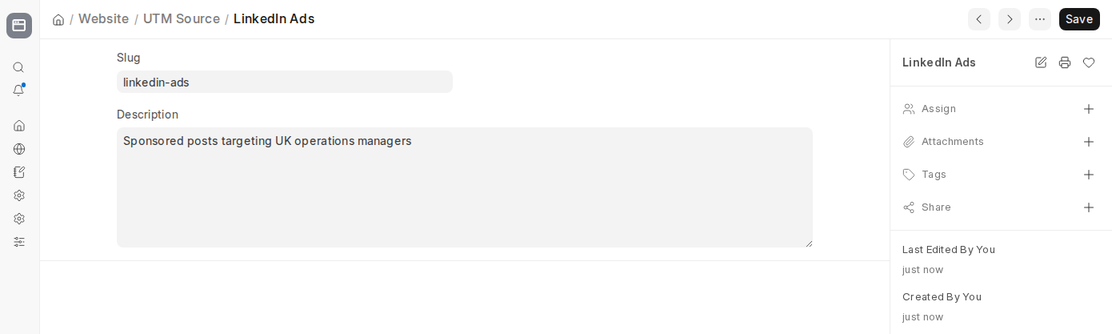
- Open the Lead Source (UTM Source) list and click Add UTM Source.
- Type in the source name and, optionally, a Slug (the value used in utm_source links).
- (Optional) Include a Description to provide more information about the source—for instance, campaign goals, targeting strategy, or channel details.
- Save the record.
Within the latest ERPNext, you can:
- Use the Campaign source together with a Campaign so that leads created from it can be reported in Campaign Efficiency.
- Utilize Data Import to bulk import various lead sources if your marketing channels are numerous.
- Associate lead sources with Opportunities and Sales Orders for complete end-to-end tracking from lead acquisition to revenue generation.
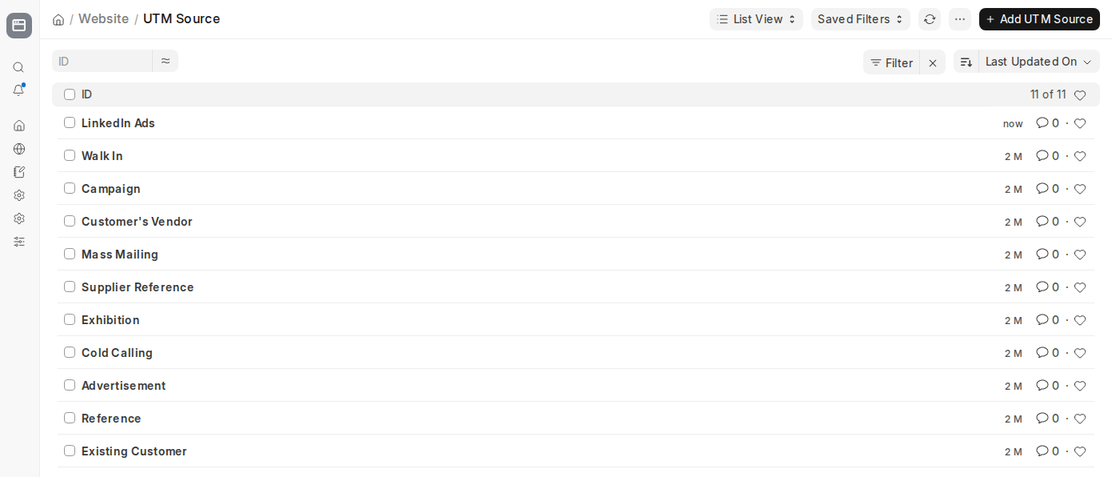
Keeping a defined list of Lead Sources in ERPNext allows companies to not only track the number of leads per channel but also determine ROI per source, perform conversion rate reports, and define sales targets by lead source.