
Material Consumption
The Material Consumption feature of ERPNext v16 allows a manufacturer to post multiple consumption Stock Entries against a single Work Order. This can be of particular relevance in manufacturing operations when raw material use is in stages or must be costed as a work in progress and not as a single effort.
To activate this functionality, go to:
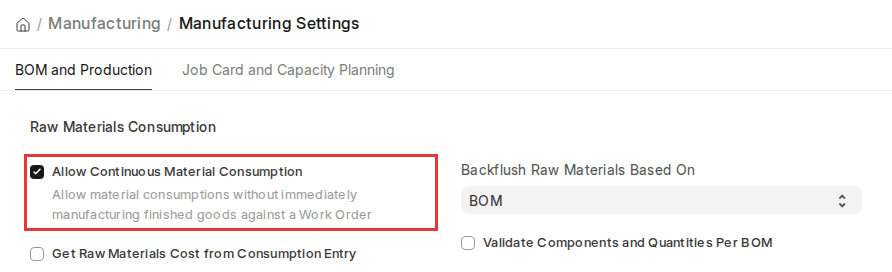
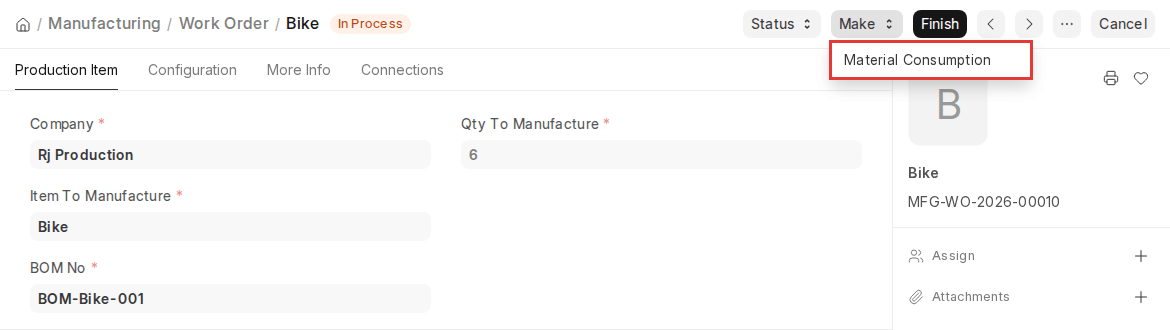
Upon activation, a Material Consumption option will appear under the Make button of the Work Order once raw materials have been transferred for manufacturing (or straight away if Skip Material Transfer to WIP Warehouse is enabled).
How It Works
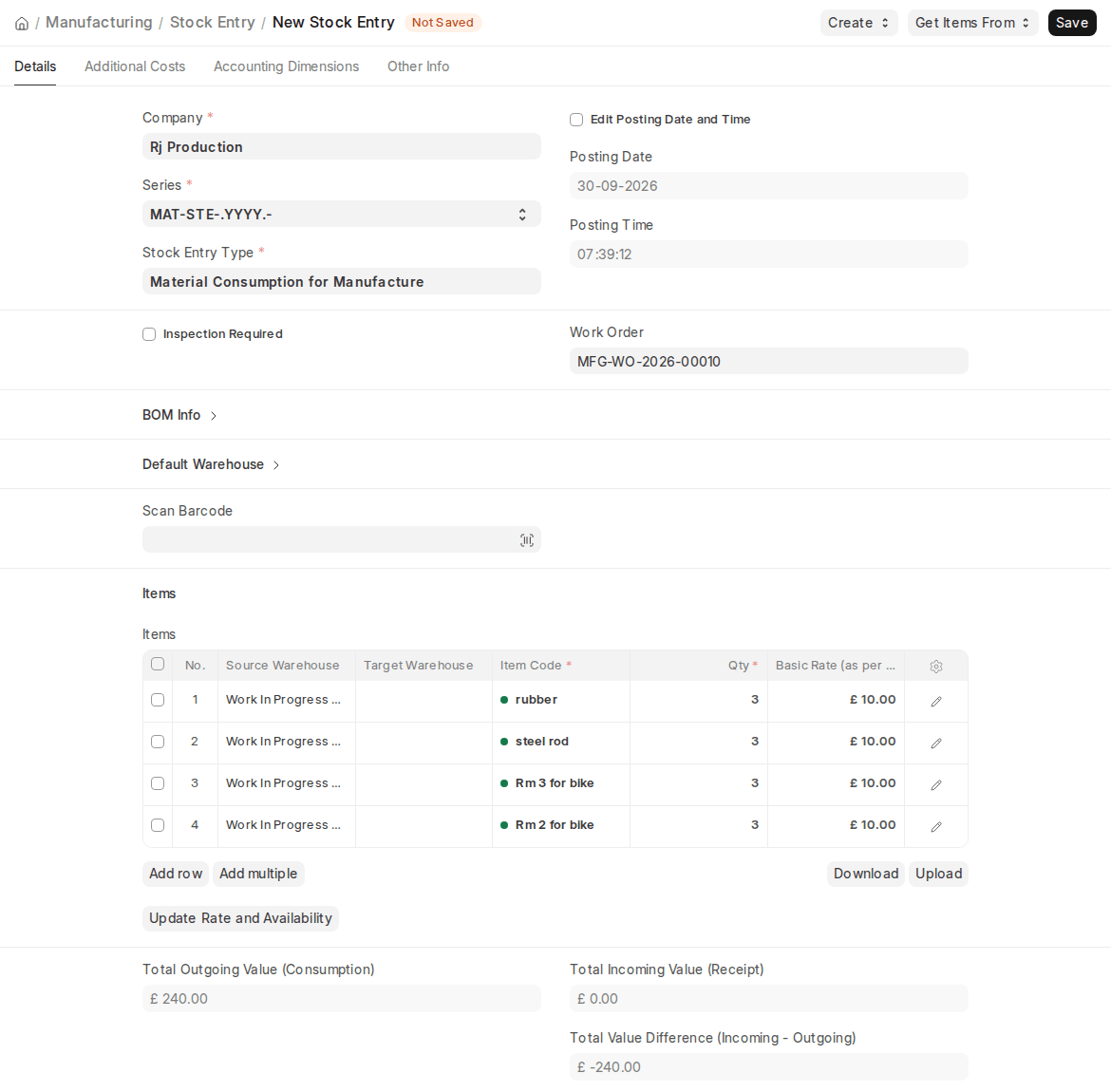
When clicking on Make > Material Consumption, ERPNext will automatically do:
- Creates Stock Entry
Stock Entry has been made and the Material Consumption for Manufacture is attached to the Work Order.
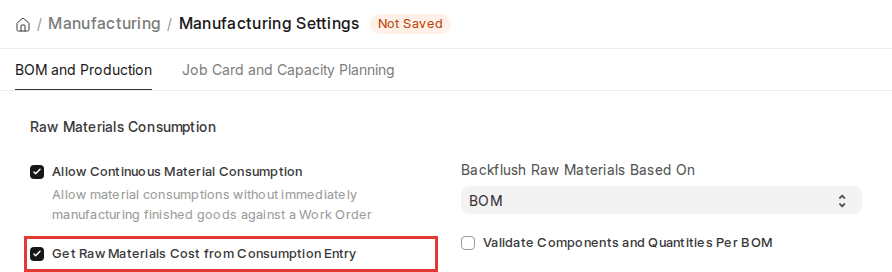
- Get Raw Materials Cost from Consumption Entry
When this Option is on, ERPNext will compute both the Work Orders and finished goods raw material cost based on the actual consumption entries rather than using the BOM or transferred material weight.
Scenario Example
- BOM indicates that 10 kg of Raw Material A is supposed to be used, but in reality, 9.5 kg was used (and this is logged in a Material Consumption entry).
- In case it is enabled in this setting, ERPNext will consider cost using 9.5 kg actual consumed rather than 10 kg planned on BOM, thus having actual cost tracking.
- Consumption Suggestion Based on Backflush Settings
- When the Backflush Raw Materials Based On manufacturing setting is BOM, ERPNext will recommend to use the complete inventory of the required raw materials based on the BOM.
- In case the setting is Material Transferred for Manufacture, ERPNext will advise using all transferred raw material at WIP warehouse in the concerned Work Order.
- Update of Work Order
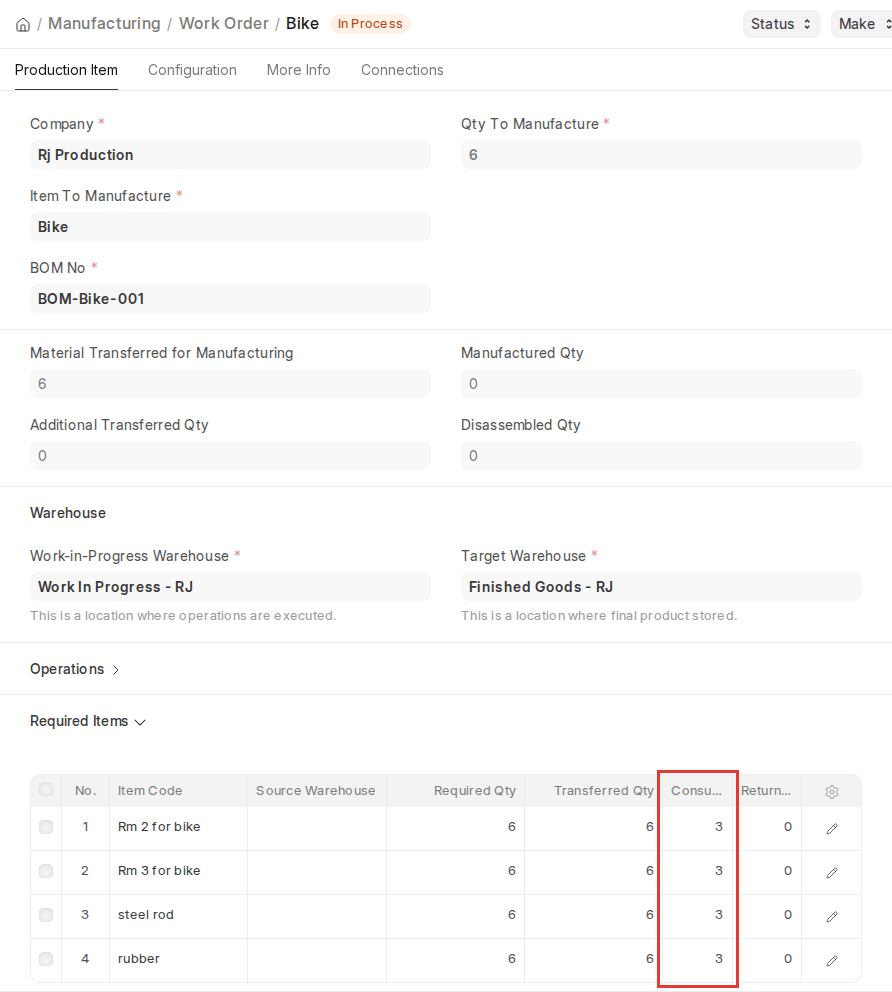
Upon filing a Stock Entry, the Consumed Qty field in the Work Order will be automatically updated so that all the material consumptions are taken into account at each level.
- Future Material Consumption
In the case of future consumption, only the quantity left unconsumed will be auto-suggested by ERPNext, preventing inaccuracy and the risk of over-consumption.
- End Consumption on Completion
When Finish is clicked in Work Order, ERPNext takes into account all the quantities consumed (from multiple records) before determining the ultimate usage and cost of manufacturing.
Validations
ERPNext v16 contains significant validations to ensure data integrity in Material Consumption:
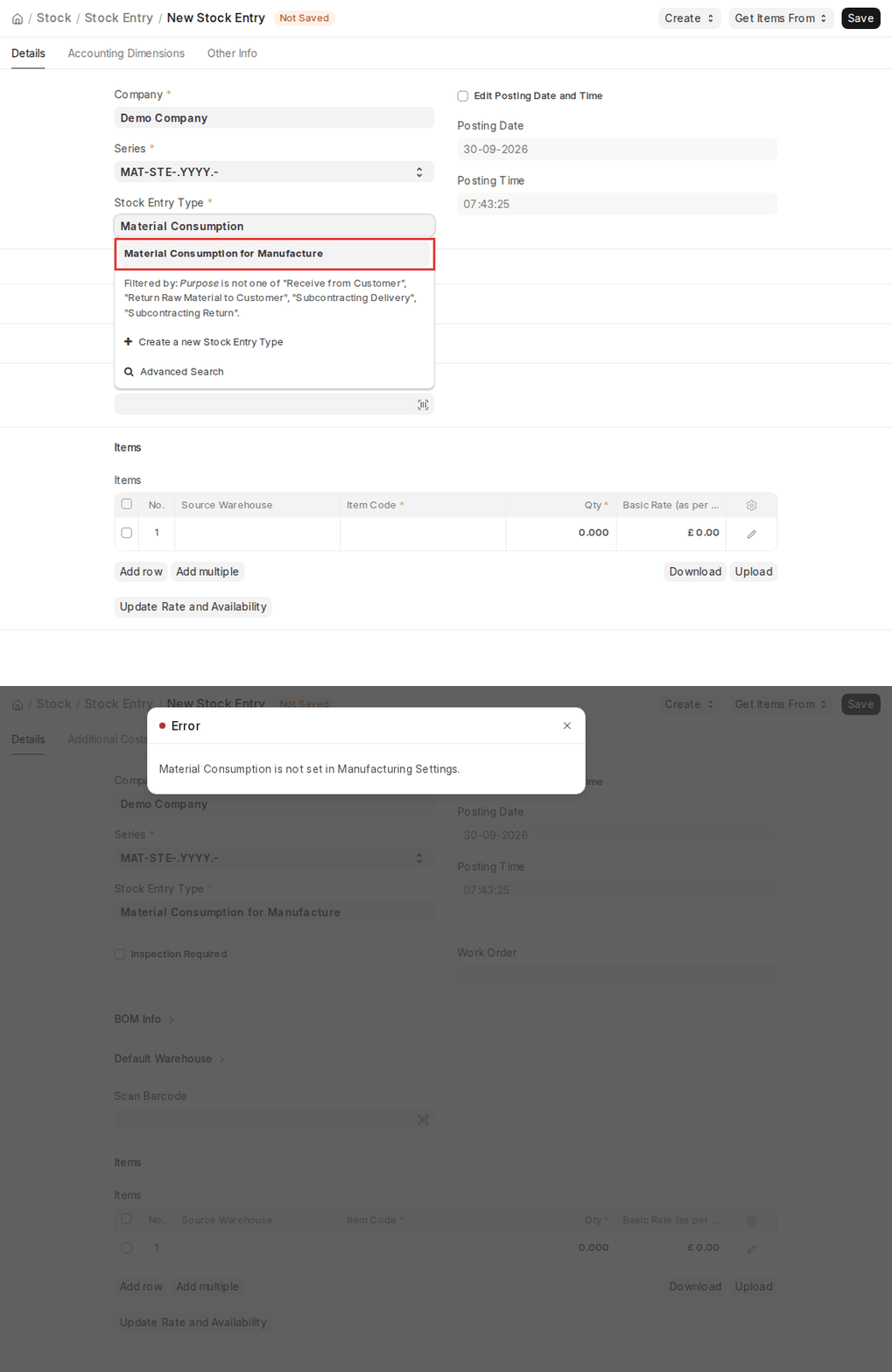
- If Allow Continuous Material Consumption is not turned on in Manufacturing Settings, users are not allowed to create a Stock Entry with purpose Material Consumption for Manufacture.
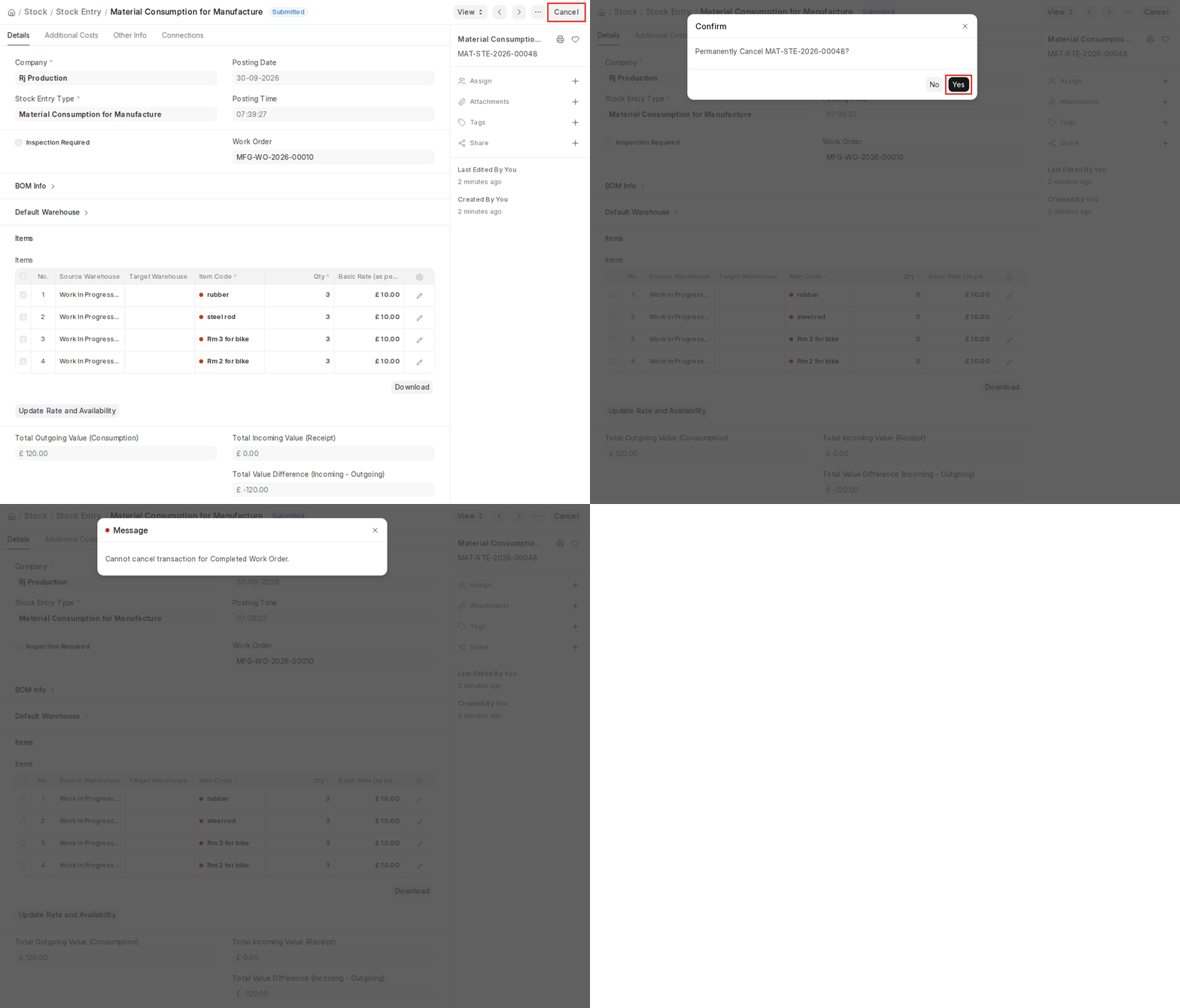
- A Material Consumption for Manufacture cannot be cancelled if the Work Order has already been set to Completed, maintaining the integrity of stock and production records.
- If the Work Order has operations, the operations must be completed through their Job Cards for the quantity before a Material Consumption entry can be created.
- When Get Raw Materials Cost from Consumption Entry is enabled and consumption entries exist for the Work Order, the Manufacture entry cannot contain raw materials; they must be consumed through Material Consumption for Manufacture entries.
These checks avoid inconsistencies in stock records, Work Orders, and production reporting.

