POS Invoice Consolidation
Through POS Invoice Consolidation, ERPNext optimises the Point of Sale (POS) system for speed and scalability. Note: in v16 the POS screen creates Sales Invoices by default. Consolidation applies when Invoice Type Created via POS Screen is set to POS Invoice in POS Settings.
Sales made during a POS session no longer instantly update the stock and accounting ledgers in order to improve performance. Rather, each transaction creates a POS invoice, an intermediary document that is posted to a specific POS sub-ledger. By delaying laborious ledger operations, this architecture enables quick transaction processing.
- Now, each transaction made through the POS screen generates a POS invoice, an intermediary document that does not instantly post to accounting or stock ledgers.This forms part of a specialized POS sub-ledger and enables transactions to be posted promptly without affecting system performance. Decoupling the POS ledger from the General Ledger makes the system much more scalable.
- At the close of the day, when the POS session is terminated, one combined Sales Invoice is created. The invoice consolidates all POS Invoices raised during the session and updates both the stock ledger as well as accounting ledgers in a single pass.
- This combined invoice creates 3–4 ledger entries only, as against the old system that made 3 entries per transaction (i.e., n x 3 entries for n transactions).
- By cutting down tremendously the volume of ledger entries, the system lessens the General Ledger’s burden, which yields improved performance and efficiency.
How Stock is Tracked Until a POS Session is Closed
Though transactions of an open POS session are not shown in the Stock Ledger, the POS sub-ledger stock quantities are considered in the Stock Projected Quantity Report.
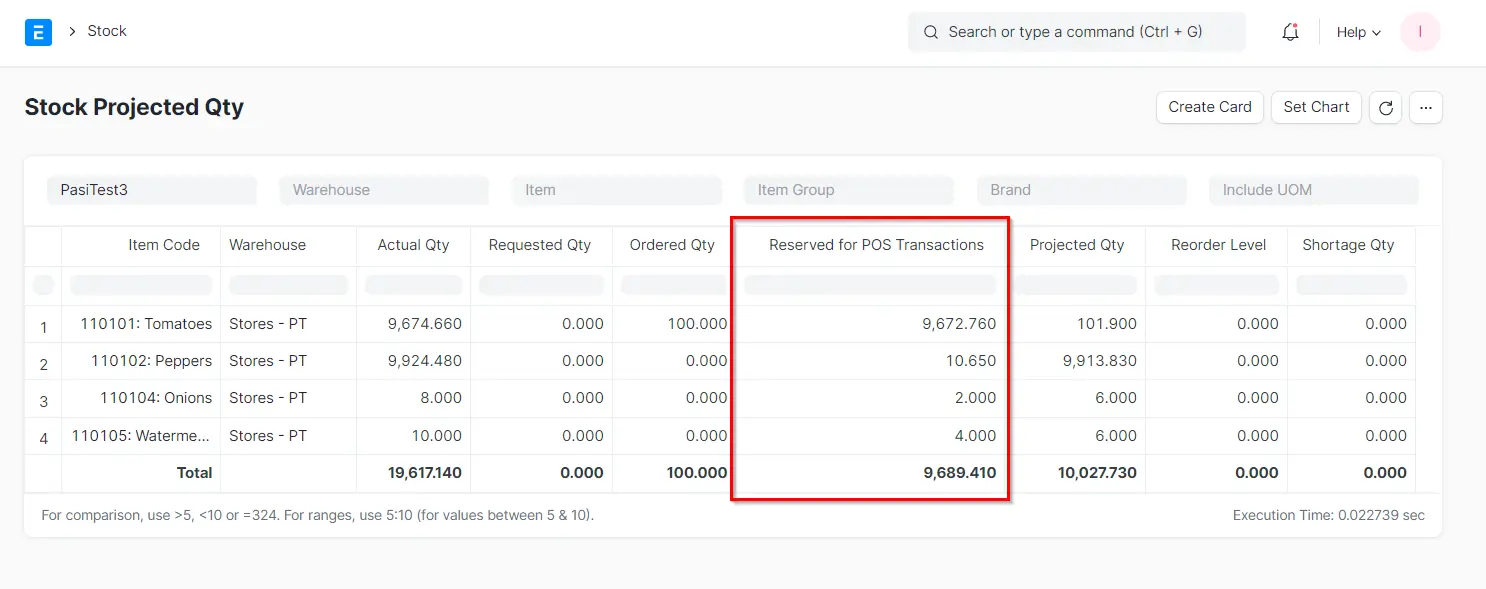
The “Actual Qty” column in the above image shows the quantities in the stock ledger. The “Reserved for POS Transactions” field indicates the part of that inventory already held in active POS sessions which have yet to be settled—i.e., their movements in stock weren’t yet applied in the Stock Ledger. Technically, the value is actually the actual quantity less the reservation quantities due to current POS transactions. Also, observe that the “Projected Qty”—which is the Actual Qty plus stock reservations (POS, production, etc.)—has an amount of 100 in the first line item because there is an outstanding purchase order of 100 units that has not arrived yet.
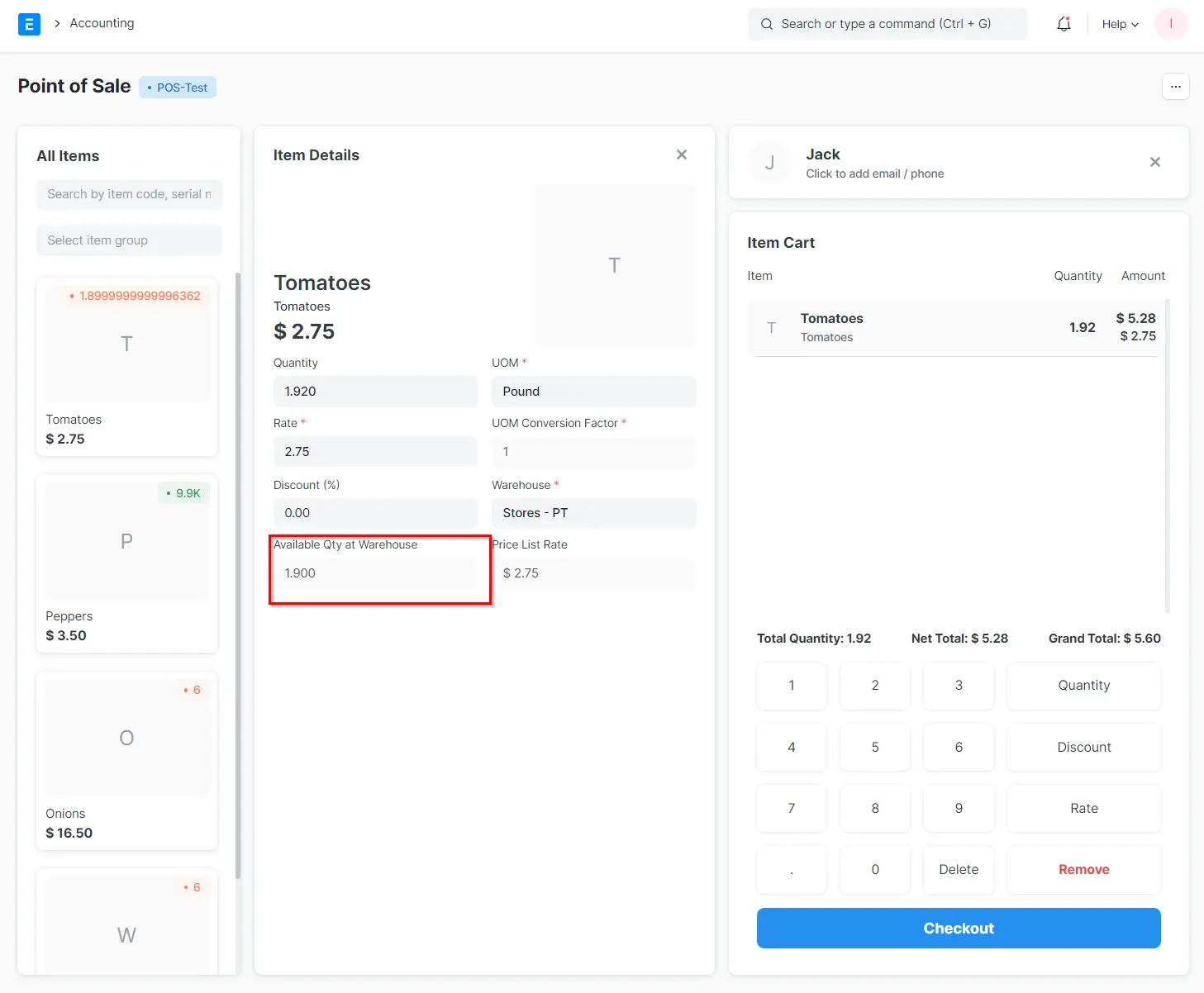
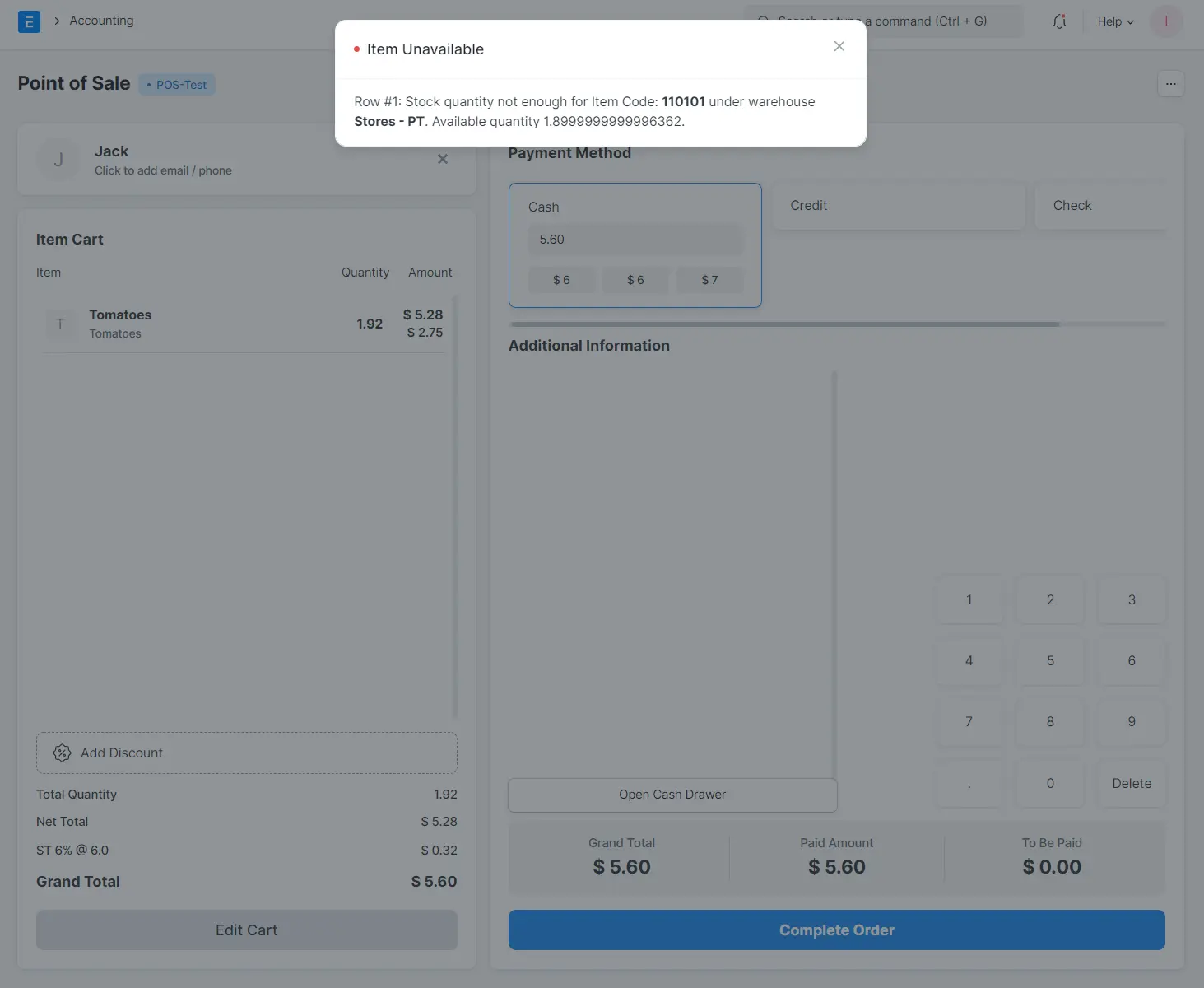
Yet, in the POS interface, items ordered but not yet received do not show up in the “Available Qty at Warehouse” field in the Item Details. In the above example, due to lack of on-hand stock, the POS transaction is prevented. This limit applies to all current POS sessions so that stock held in one session decreases availability for all other sessions. This system logic is applied to prevent overselling.