
Salary Slip from Timesheet
Employee salary can be computed for the hours worked against particular tasks or projects, recorded through Timesheets. ERPNext v16 (with Frappe HR) enables you to generate a Salary Slip directly from a Timesheet to ensure correct and time-based payroll processing.
This functionality is especially beneficial in industries where services are provided, freelancing engagements, and shift work arrangements, where compensation is based on logged time instead of traditional monthly pay arrangements.
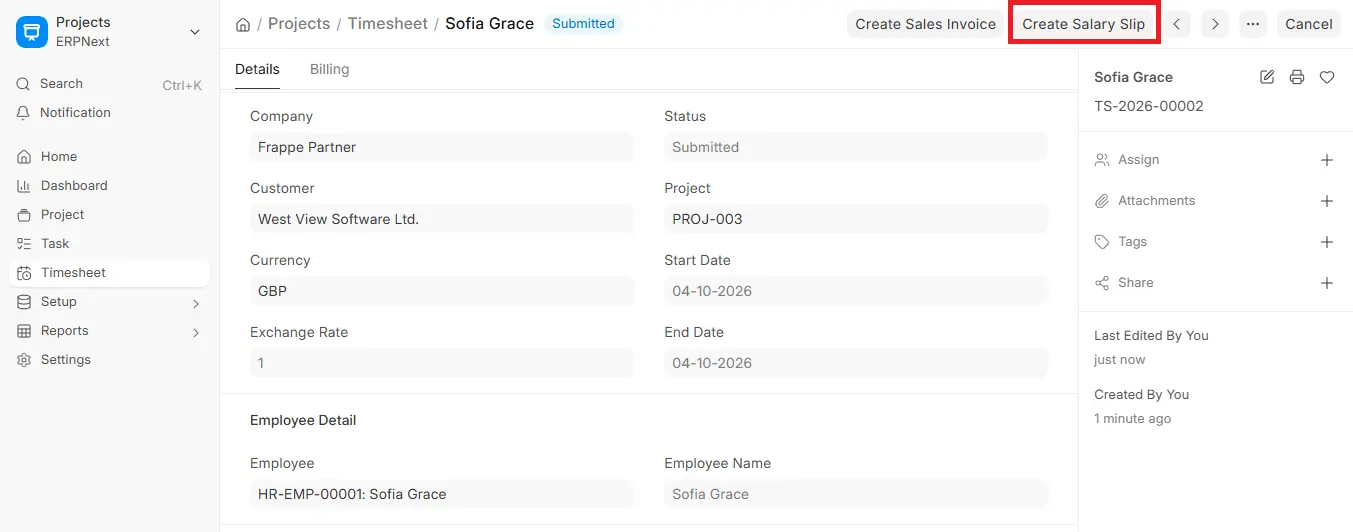
Creating a Salary Slip from a Timesheet
- Go to the Submitted Timesheet: After submitting and filling out the Timesheet, you will be able to access post-submission operations.
- Click Create Salary Slip: The Create Salary Slip button is placed on the top right of the submitted Timesheet form. It can also be made using Payroll module. The Timesheet automatically fetches up Employee and Employee Name. Pulled information includes the Company Name, Branch, Designation, and Letter Head information which is taken off the Employee Master.Employee tags for cost allocation and reporting for Project and Task (if they are specified in Timesheet).
- Date Range (Start Date and End Date): These are automatically fetched from the Timesheet, specifying the period for which payment is being computed.
- Salary Slip Timesheet Table: The starting Timesheet ID of the Salary Slip is referenced here. Additional Timesheets can be added via “Add Row” convenient when preparing multiple slips for weekly periods. The Working Hours of each Timesheet are shown in this table.
- Workforce Allocation Details: Department and Cost Center are retrieved for accurate general ledger posting. Timesheet-based costing information allows accurate tracking of costing-to-payroll reconciliation.
- Save and Submit: After confirming all auto-fetched and manually changed information, click Save. After saving, click Submit to complete the Salary Slip. After submission, the slip becomes ready for payment processing; the accounting entries are posted when the salary is booked through Payroll Entry.
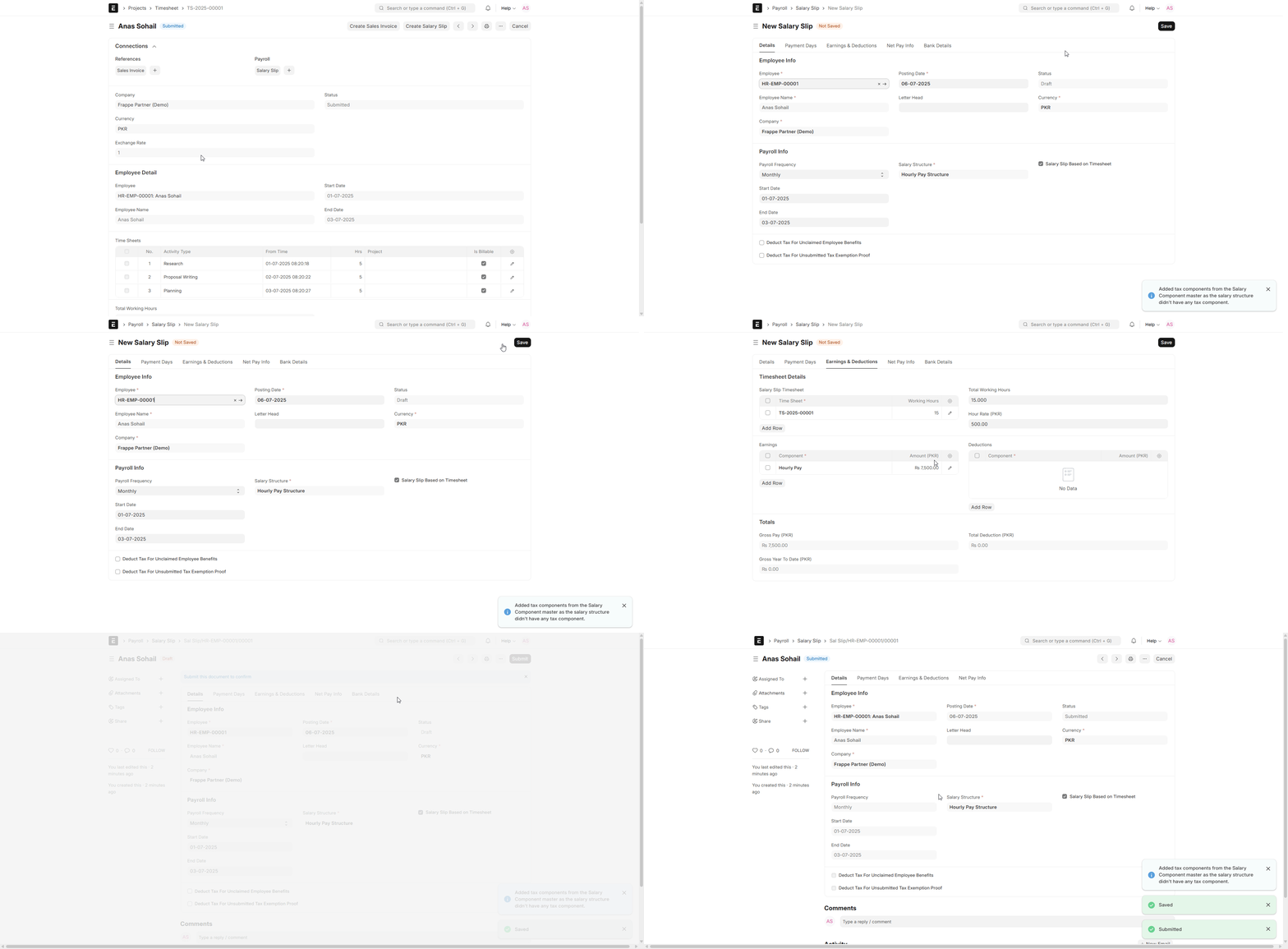
Additional Details while Creating a Salary Slip from a Timesheet
Earnings and Deduction: You can input Earnings such as HRA, Incentives, etc., and Deductions like Income Tax, Provident Fund, etc., as the case may be in the Salary created from the Timesheet.
Other Information: Depending on the Employee’s Salary Structure, entries such as Gross Pay, Loan Repayment Info, and Net Pay will get filled automatically.
When “Salary Slip Based on Timesheet” is enabled under the Salary Structure and the Salary Slips are made under Payroll Entry by selecting “Get Employees” and then “Create Salary Slips” then the system automatically pulls the employee’s submitted Timesheets for the period and calculates the timesheet-based earning as Total Working Hours × the Hour Rate set in the Salary Structure.
Post Submitting
After Salary Slip submission, associated Timesheets are booked into the Salary Slip.
Note: The Timesheet is linked back to the Salary Slip (its Salary Slip field is set and its status changes to Payslip). The salary calculation itself stays in the Salary Slip and Payroll modules.
When Payroll Entry is processed, accounting entries are posted: salary expense is charged and corresponding payable accounts are credited. The timesheet-based earning is included in the final Salary Slip amount.

