
Share Transfer
In ERPNext, Share Transfer is a tool for shareholders to manage the buying, selling, or transferring of company shares. This makes sure that any changes to who owns the company are properly recorded.
Shares must be given out first when a new shareholder is made. After that, a “Folio Number” is given, and then more transfers, purchases, or issues can happen.
To access the Share Transfer list:
Desktop > Accounting > Share Management > Share Transfer
1. How to Make a Share Transfer
- Click on “Add Share Transfer” in the “Share Transfer” list.
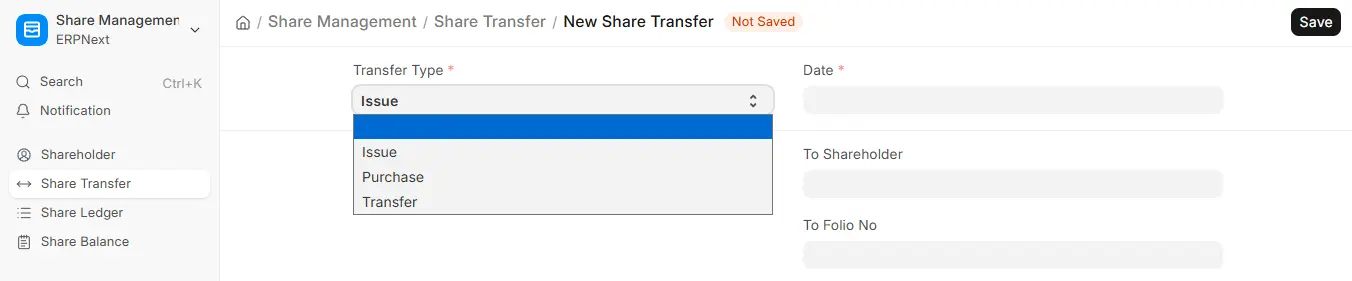
- Choose the type of transfer you want to make: issue, transfer, or purchase.
- Choose “Issue” for the first transaction between shareholders.
- Type in the Transfer Date.
- Choose the “From Shareholder” and “To Shareholder.”
- Pick the “From and To Folio Numbers.”
- Set the Liability and Asset Accounts.
- Choose the type of share you want (Equity or Preference) or add a new one if you need to.
- Type in the Number of Shares and the Share Range, like 1–3000.
- Enter the “Rate per Share,” and the system will figure out the total value on its own.
- Submit and Save.
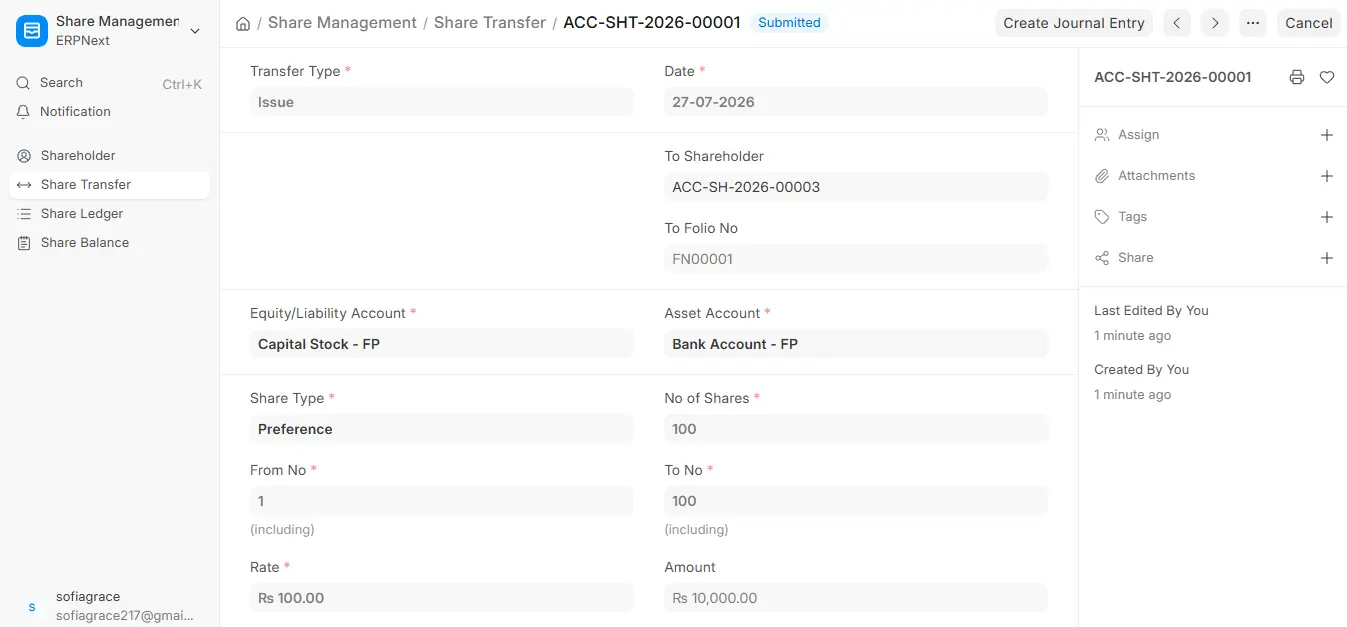
After submission, you can update ledgers by clicking on Create Journal Entry, which will generate the required accounting entry.
2. Key Concepts
- Types of Transfers
- Issue: The company gives new shares to a shareholder.
- Purchase: The company buys back shares from a shareholder.
- Transfer: Shares are moved from one shareholder to another.
- Folio Number: This is a unique number that is given to a shareholder when they get their shares.
- Share Type: ERPNext comes with Equity and Preference shares by default, but you can add more share types if your company needs them.

