
Loyalty Point Entry
The Loyalty Point Entry allows businesses to manually change customer loyalty points. Points can be credited (rewarded) or debited (redeemed or expired). Points are typically managed automatically by invoices and point-of-sale (POS) systems, but errors, promotions, and adjustments are manually entered.
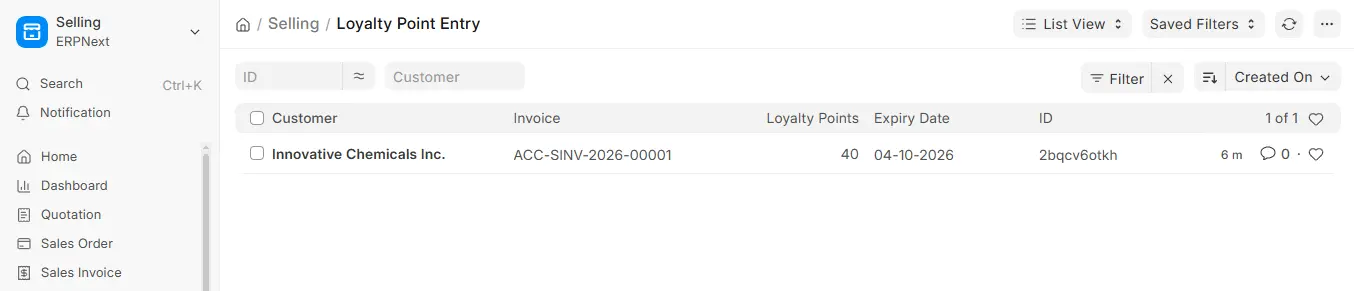
1. How to Access
Go to:
2. Loyalty Point Entry
- Customer: The customer whose Points are being changed.
- Invoice Type / Invoice: The invoice the points relate to (Invoice Type is required).
The Loyalty Program is the set of rules governing points and redemption.
- Loyalty Points: Positive points are added; negative points are deducted (for example, when points are redeemed).
The point expiration date is indicated by the required Expiry Date.
- Discretionary Reason: The rationale behind the modification.
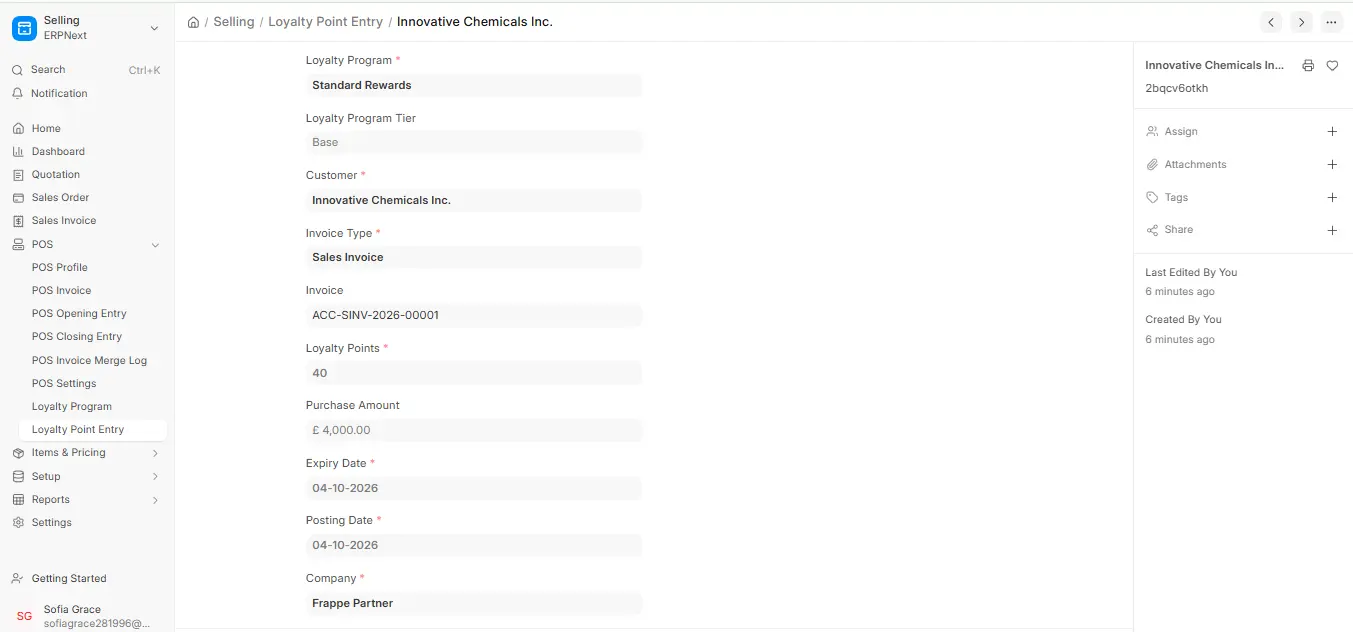
3. How to Create Entry Process for Loyalty Points
- Go to Loyalty Point Entry → Add Loyalty Point Entry.
- Pick the Customer.
- Select the Invoice Type (and Invoice, if any).
- Click on the Loyalty Program.
- Enter 200 Loyalty Points (use a negative number to deduct).
- Enter the Expiry Date and Posting Date.
- Add a Discretionary Reason (e.g., “Festival Bonus”).
- Save.
4. Example
The customer receives 100 points for their purchase, and the manager gives out 200 promotional points. Loyalty Points were entered by using:
- Positive points (added)
- Points: 200
- Discretionary Reason: Holiday Bonus
- Total balance = 300 points
Note: Direct exchanges are simple to process at the POS billing stage, but comments must be included for appropriate auditing. The Loyalty Point Entry list (filtered by customer) shows each customer’s points history.

