Sales Return
A sold Item being returned is known as a Sales Return.
Companies usually bring goods that are already sold. They may be returned by the customer for reasons like quality problems, failure to deliver on the specified date, or for any other cause.
1. Prerequisites
Before creating and using a Sales Return, it is advised that you create the following first:
2. How to create a Sales Return
- Open the original delivery note/sales invoice against which the customer has returned the items.
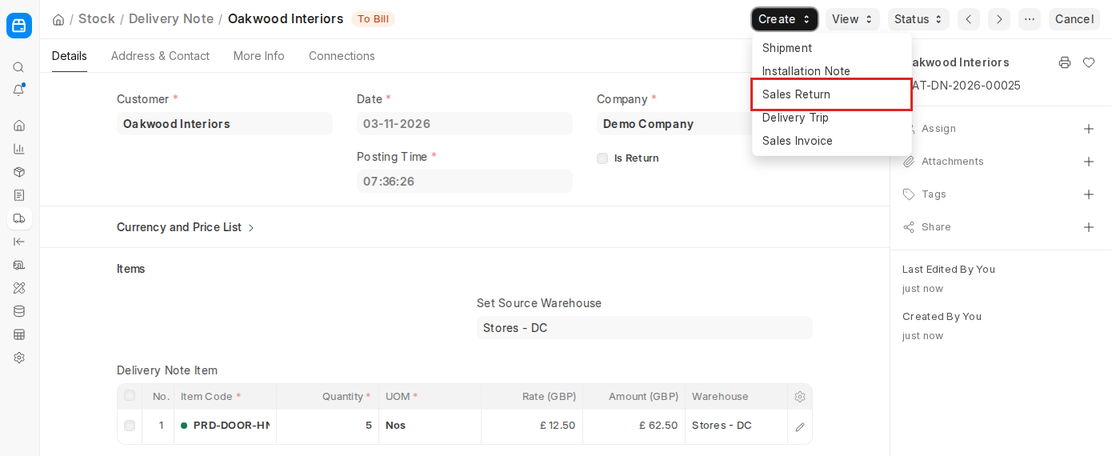
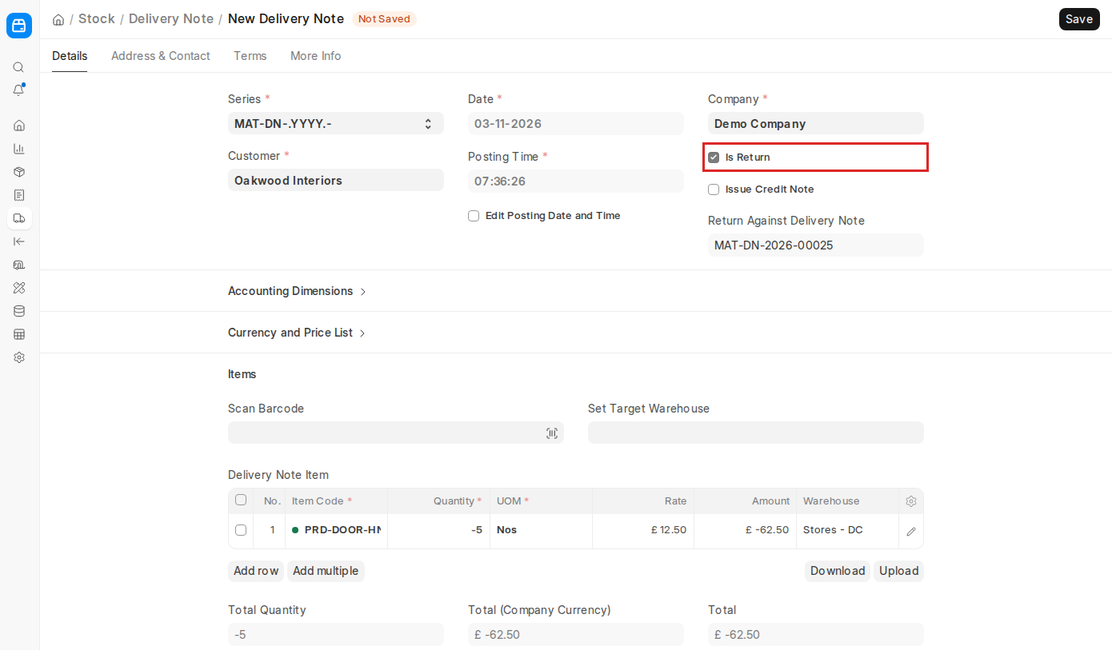
- Then click on ‘Create > Sales Return’; it will open a new delivery note having ‘Is Return’ ticked, ‘Return Against’ set to the original delivery note, and items, amounts and taxes as negative numbers. Save and submit it.
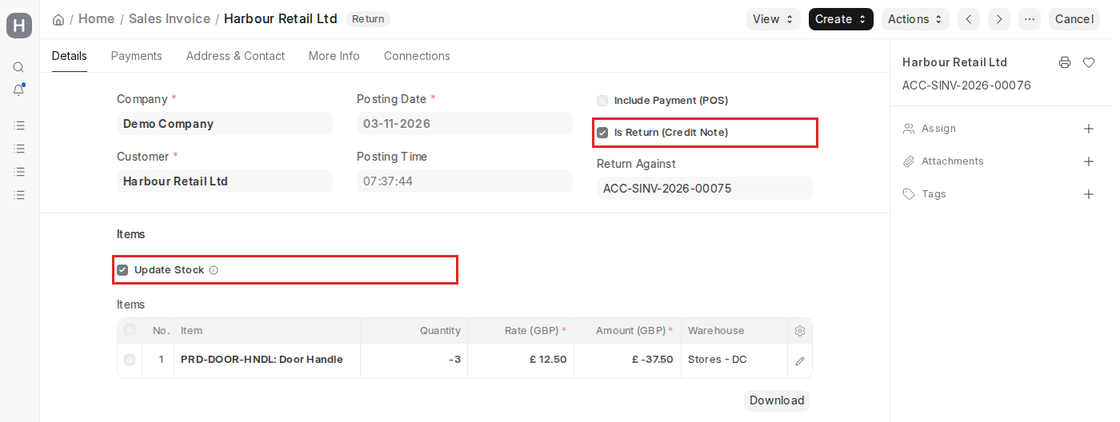
- Alternatively, you may also make a return entry against the initial sales invoice with ‘Create > Return / Credit Note’ to return stock and issue a credit note together; the “Update Stock” option must be ticked in the return Sales Invoice (it is copied from the original invoice if that invoice updated stock).
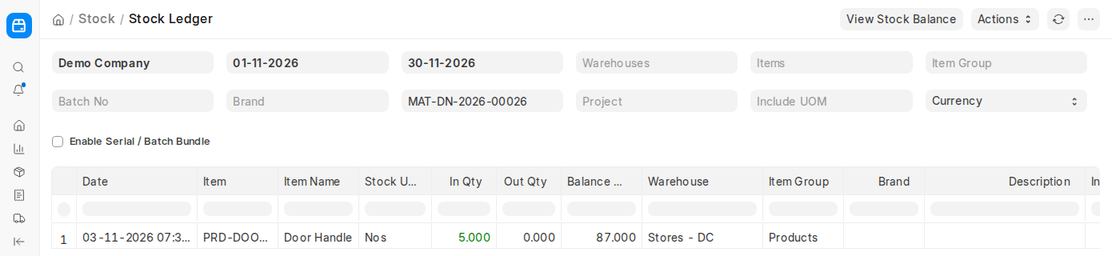
- When you submit the Return Delivery Note/Sales Invoice, the system will enhance the stock balance in the specified warehouse. For the right stock valuation, the returned items come back at the valuation rate at which they were originally delivered.
- On the return sales invoice, the customer account will be credited and the associated income and tax account will be debited as indicated in the accounting ledger. With Update Stock, the stock account is also debited and Cost of Goods Sold credited.
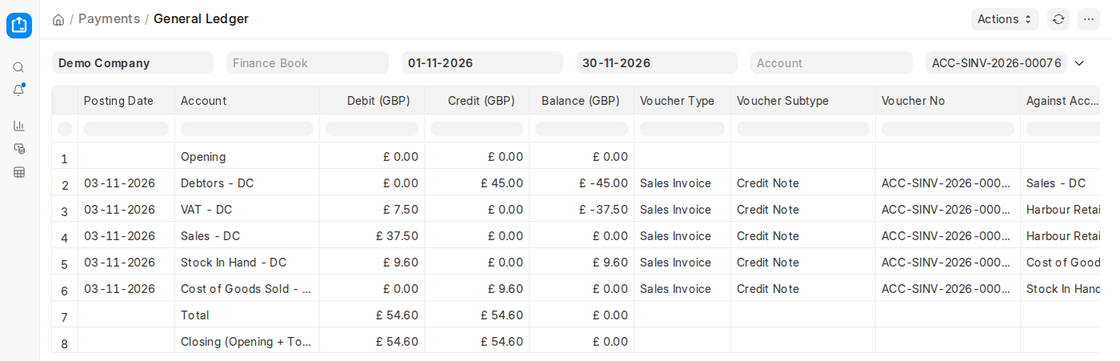
If Perpetual Inventory is enabled, the system will also post Accounting entry against warehouse account to sync warehouse account balance with stock balance as per Stock Ledger.
3. Impact on Stock Return via Delivery Note
On Creating a Sales Return against a Delivery Note:
The Returned Quantity in the initial Delivery Note and any Sales Order associated with it, is updated.
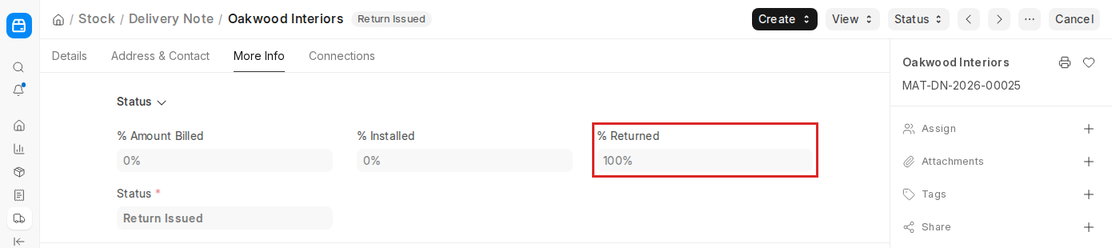
The status of the original Delivery Note is changed to Return Issued if 100% returned: