Loyalty Program
A loyalty program enables customers to accumulate points as a function of their expenditure and redeem points on subsequent purchases.
A customer loyalty program is an organized, long-term marketing effort aimed at rewarding and keeping repeat customers. Successful programmers are intended to motivate customers in a business’s target market to return often, make repeat buys, and stay loyal to the brand versus others.
To access the Loyalty Program list, go to:
1. Prerequisites
Before creating and using a Loyalty Program, it is advised to create the following first:
2. How to Create a Loyalty Program
- Go to the Loyalty Program list and click Add Loyalty Program.
- Give the loyalty program a name.
- Select whether the program is single-tiered or multi-tiered (e.g., Gold, Silver, etc.).
- Input the start and end dates for the program.
- Determine the customer group and territory applicable to the program. By default, the program is for all.
- To automatically have all customers enrolled, check “Auto Opt In (For all customers)”. Otherwise, the program needs to be manually assigned in the customer master.
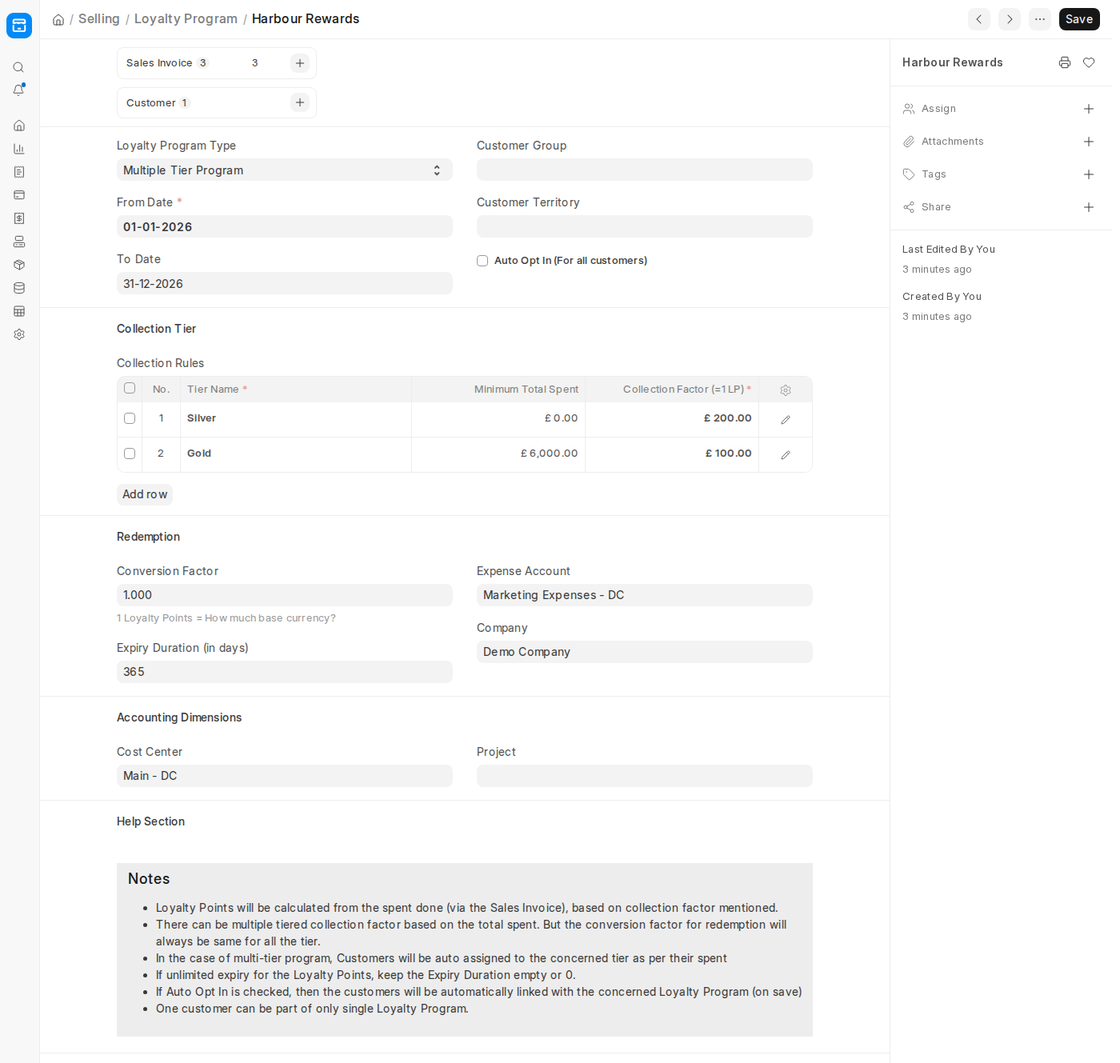
- In the Collection Rules table (Collection Tier section), provide the following for each tier:
- Tier Name: Name of the tier to which a customer will be assigned as per their eligibility.
- Minimum Total Spent: The total amount the customer must have spent to reach this tier.
- Collection Factor (=1 LP): The amount a customer has to spend to receive 1 loyalty point in this tier.
- In the Redemption section, set the Conversion Factor, Expiry Duration, Expense Account and Company (explained below).
- Click Save to save the loyalty program.
2.1 Redemption section
- Conversion Factor: This indicates the value of every loyalty point when redeemed. For instance, if a customer possesses 100 loyalty points and the conversion factor is 1 loyalty point = 1 GBP, he/she can exchange items up to £100 in value using his/her points on subsequent purchases.
- Expense Account: Select an expense account to capture the expense of loyalty rewards. This allows the tracking and reporting of loyalty benefits-related expenses independently.
- Expiry Duration (in days): Loyalty points acquired by the customer will be expired after the mentioned number of days from the award date.
2.2 Loyalty Points in Customer
To assign a Loyalty Program to a Customer, open the Customer and select it in the Loyalty Points section of the Details tab. The Loyalty Program Tier is filled in automatically and updated on each invoice.
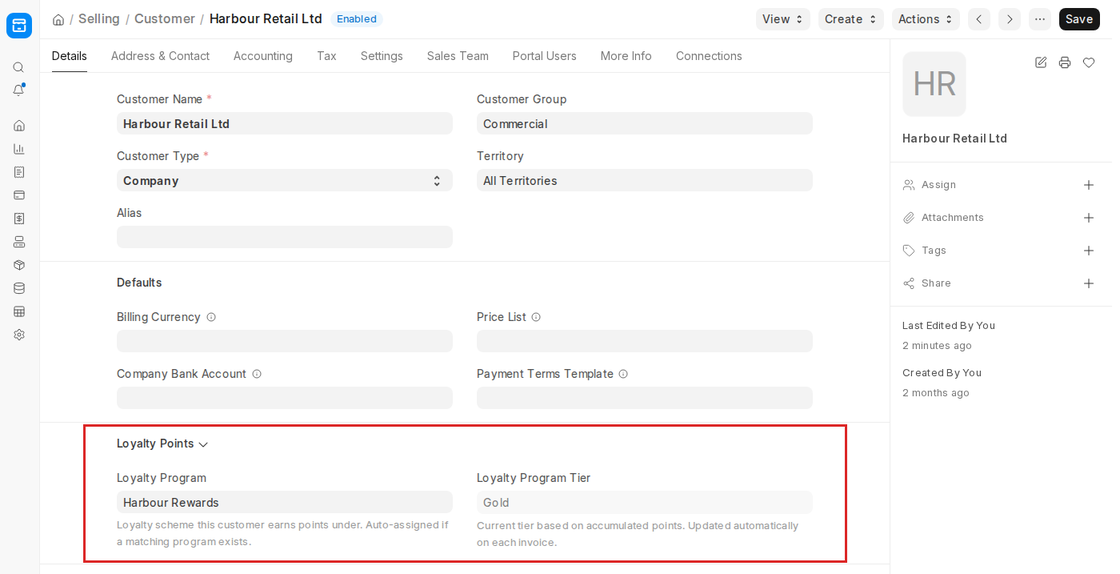
The current Loyalty points balance can be viewed in the Stats on the Customer’s Connections tab.
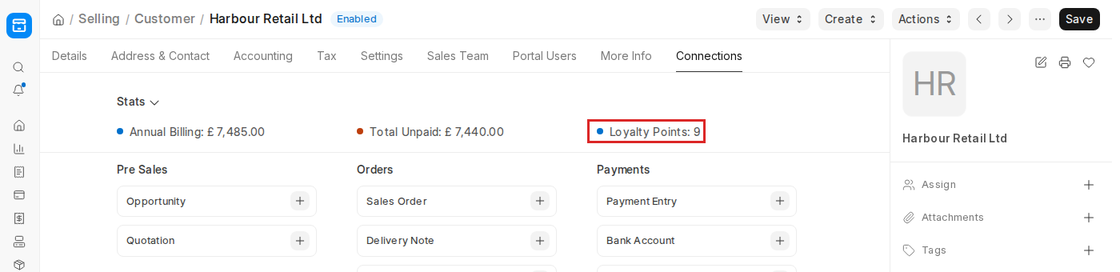
2.3 Loyalty Point Entry
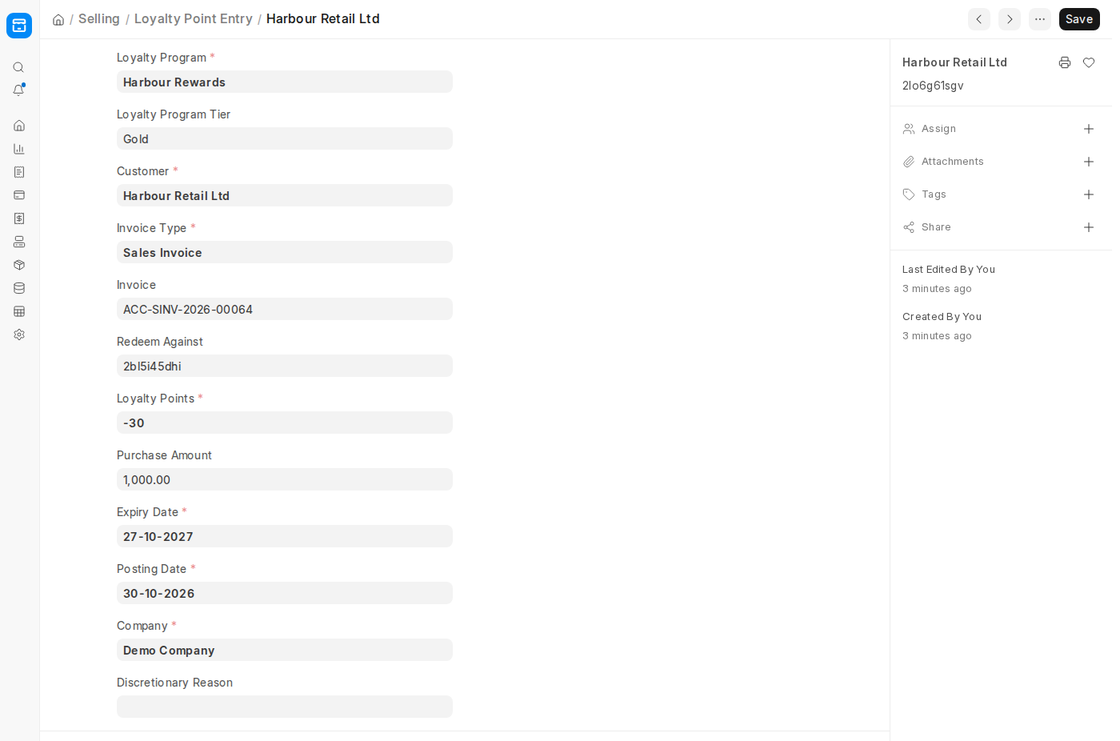
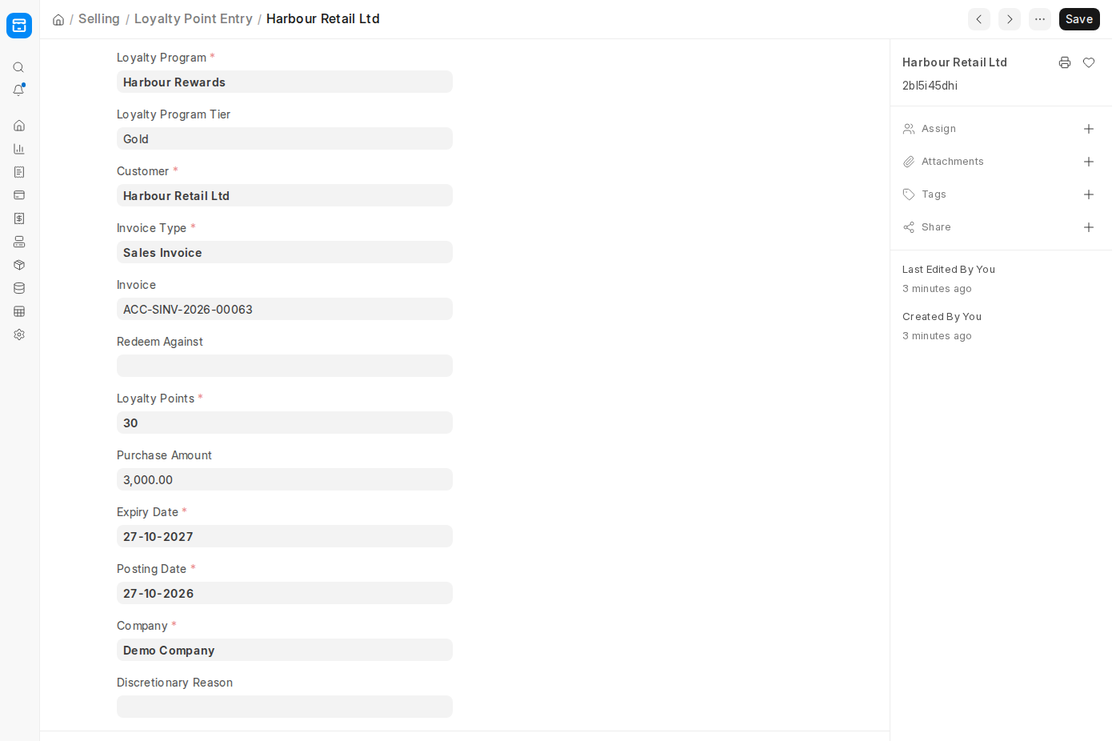
Go to: Selling > POS > Loyalty Point Entry. This acts as a log to give an overview of which Customer earned how many points against which Sales Invoice. It holds the data Invoice and Customer.
3. How does a Loyalty Program work?
3.1 Earning Points
- First, make a loyalty program as described in the previous section.
- Assign the loyalty program to the respective Customer.
- Make a new sales invoice for the Customer who is a member of the loyalty program.
- For instance, in the program shown above the Silver tier (Minimum Total Spent £0) has a Collection Factor of £200, so a Sales Invoice with a grand total of £3,000 earns the customer 15 loyalty points.
- When the invoice is posted, it automatically generates a Loyalty Point Entry for it (as per the Loyalty Program Entry above).
- The Gold tier starts at a Minimum Total Spent of £6,000 and has a Collection Factor of £100. When another invoice worth £3,000 is posted, the customer’s total spend reaches £6,000, so the customer automatically moves to the Gold tier and this invoice already earns points at the Gold rate (30 points).
3.2 Redeeming Points
- Let’s continue from the previous example, where the customer now has 45 loyalty points (15 + 30). When creating another invoice for the same customer, open the Payments tab, expand the Loyalty Points Redemption section and tick Redeem Loyalty Points.
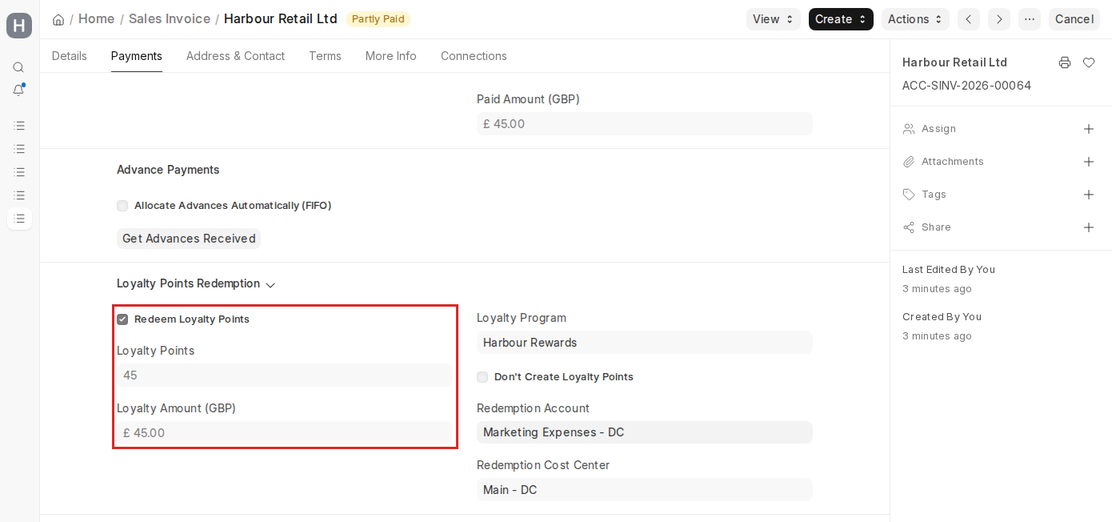
- The fields ‘Loyalty Points’, ‘Loyalty Amount’, ‘Redemption Account’, and ‘Redemption Cost Center’ will be displayed here. The account and cost center will be retrieved automatically from the loyalty program for the customer.
- The customer has a total of 45 points available for redemption before they expire. On trying to redeem more points than are available, an error will be displayed.
- Here we have entered 45 points to redeem. The Loyalty Amount field shows the value calculated via the formula:
- Loyalty Points × Conversion Factor.
- As the conversion factor is 1, the Loyalty Amount is £45. It is added to the Paid Amount, so the outstanding amount of a £1,000 invoice becomes £955.
- When the invoice is submitted, a Loyalty Point Entry with negative points is created for each earlier entry that is used (shown in Redeem Against). The invoice also earns new points on the amount still to be paid.