Leave Period
A Leave Period is a duration of time for which leaves are allocated.
Most companies manage leaves based on a Leave Period, corresponding to a calendar year or the fiscal year. To access Leave Period, go to:
Home > Human Resources > Leaves > Leave Period
1. Prerequisites
Before creating a Leave Period, it is advisable to create the following:
2. How to create a Leave Period
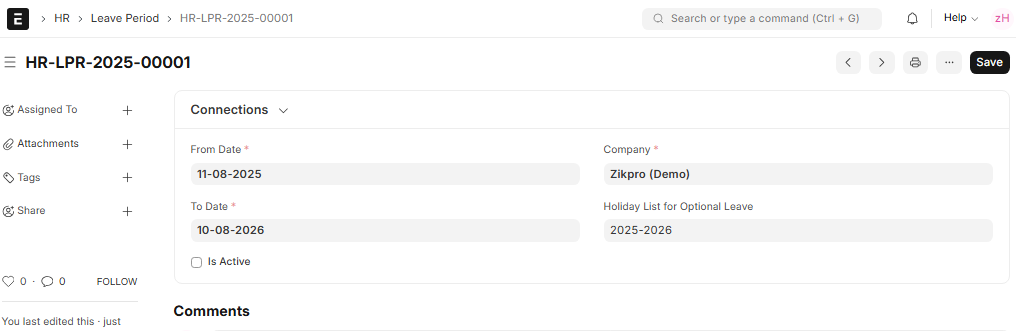
Select the Company name for which the Leave Period will be effective. This will ensure that the leave policies of the company are properly executed. To save the Leave Period in the system, click Save.
You may also select a Holiday List for Optional Leaves during the Leave Period. This list will be applied to determine who is awarded optional leaves during the designated time This is useful for businesses that provide their employees with a selection of additional holidays, such as religious or cultural holidays, in addition to the standard ones.
You can also check the “Is Active” check box to make this Leave Period active at present. This will become the default for leave allocations and requests for the specified time.
Allocating leaves based on the Leave Period
Use the Leave Policy Assignment tool to assign leaves that are associated with a Leave Period. This will apply the company’s Leave Policy rules for the entire Leave Period and automatically manage entitlements.