
Budgeting
Budgeting is the process of creating a plan that outlines expected income and sets spending limits for a specific period, such as a fiscal year. The budgeting tool in ERPNext helps businesses track spending by allocating funds to Cost Centres, Projects, or Accounting Dimensions.
It ensures financial restraint by comparing actual spending to budgeted amounts. You can also set alerts or blocks to prevent overspending. This helps with better planning, decision-making, and the achievement of financial goals.
To access the budget list, go to:
1. Why Budgeting Is Important?
- It helps you keep business expenses under control.
- It helps with long-term financial planning.
- Establishes boundaries to stop excessive spending.
- When budgets are exceeded, it either stops or sends out alerts.
For instance: If you’re running online sales campaigns, you can set up ERPNext to Halt or Alert you when spending exceeds a budget for Search Advertisements.
2. How to Make a New Budget
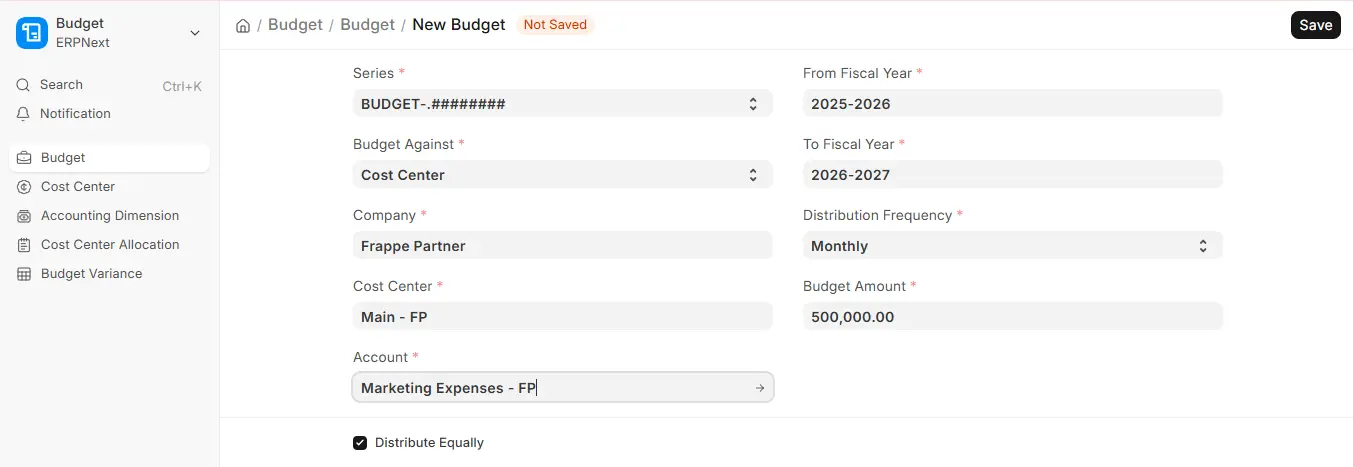
In ERPNext, to create a budget:
- Navigate to: Accounting > Budget > Budget
- Select Add Budget.
- Select if the budget is for an accounting dimension, a project, or a cost centre.
- Choose the budget’s From Fiscal Year and To Fiscal Year (in v16 one budget can cover more than one fiscal year).
- Select the income or expense Account (such as Telephone Expenses) for which you wish to create a budget. In v16 each Budget is for one account.
- Enter the Budget Amount and choose the Distribution Frequency (Monthly, Quarterly, Half-Yearly or Yearly).
- Save the budget, then submit it.
3. Essential Elements of Budgeting
3.1 Distribution Each Month
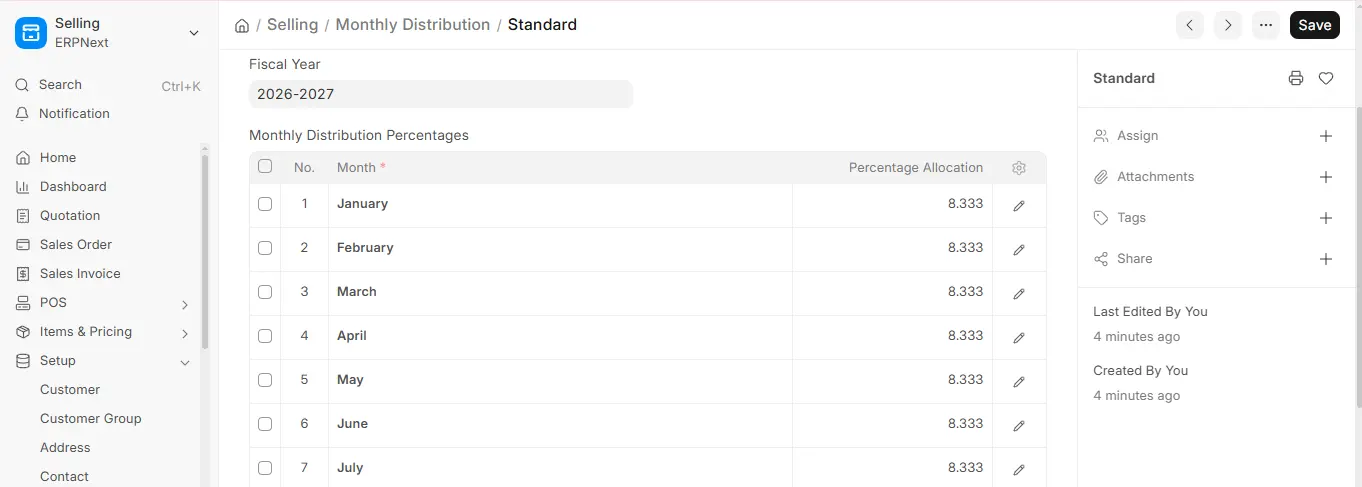
- In v16 the budget is spread using the Distribution Frequency. With Distribute Equally ticked, the amount is split evenly; untick it to edit each period in the Budget Distribution table. (The Monthly Distribution record shown here is still used for sales targets.)
- If Distribute Equally is ticked, ERPNext divides the budget evenly over the periods.
- Businesses with seasonal spending patterns can benefit from this.
3.2 Control Measures (Warnings)
Control measures guarantee that spending is tracked and curtailed as necessary. They start when:
- A request for materials is made.
- A purchase order is made.
- A real expense is recorded (for example, through a purchase invoice or journal entry).
- Control actions for monthly or annual budget limits can be defined.
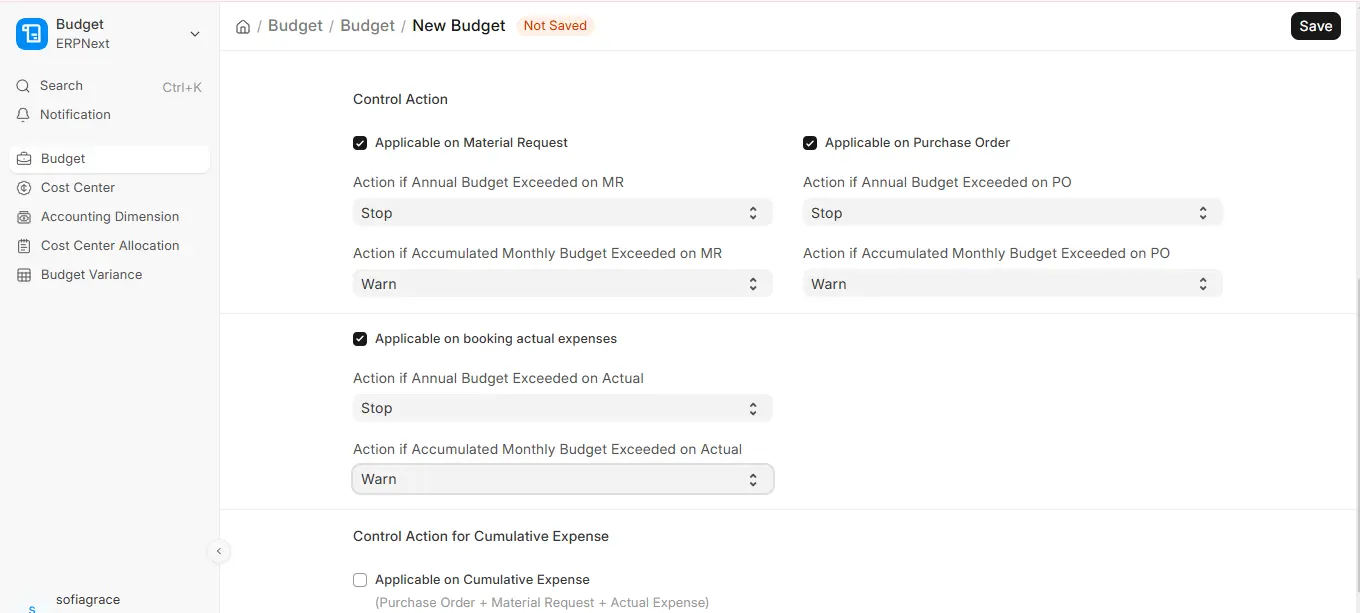
Types of Control Actions:
- Stop: If the budget is surpassed, users are prevented from submitting the transaction.
- Warn: Shows a warning but permits the purchase.
- Ignore: Regardless of financial situation, there is no caution or limitation.
4. Budget Variance Report
You can track and contrast your budgeted and actual amounts with the help of the Budget Variance Report. For every account, cost centre, or project, it gives you a real-time picture of how well you’re doing financially.
To access this, go to:
This report is beneficial because:
- It Keep tabs on excessive or insufficient spending.
- Examines the financial results of projects or departments.
- Throughout the year, make wise budgetary adjustments.

