
Employee Group
A group of employees is arranged according to certain characteristics, such as branch, grade, designation, etc.
To gain access to Employee Group, visit:
Home > Human Resources > Employee > Employee Group
1. Prerequisites
It is recommended that you create the following documents before creating an Employee Group:
2. How to Form a Group of Workers
Navigate to the list of Employee Groups and
- Select “Add Employee Group”
- Put the name in
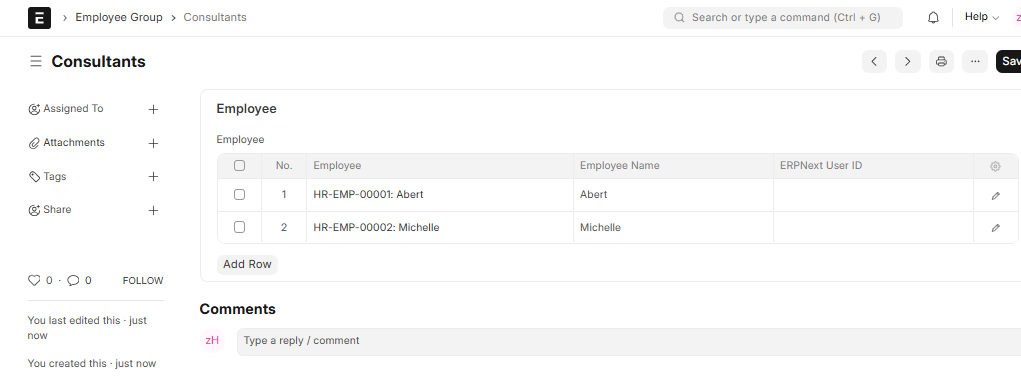
- Choose Employee ID and add it to the group
- The employee’s name will be automatically Retrieved
- Save
Employee’s Group
3. Characteristics
Agreement on Service Level : To specify the Service Level for a specific Employee Group, an Employee Group can be added to the Service Level Agreement doctype.

